3D physics
Rigid bodies live inside the 3D scene. Crates stack and topple, balls roll, and chains swing, all with real contact response. This is the 3D version of the 2D physics world's rigid side, and it works the same way. You build a World3D once, add Body3Ds to it, step it each frame, and draw each body from its pose. Both worlds live in the same satellite, so import OllinPhysics brings you both.
Three other things live in the world beside the bodies, and none of them is a rigid body.
- A
Character3Dis a walking figure. You steer it fromdraw()instead of pushing it around with forces. - A
Vehicle3Dis a chassis on sprung wheels that you drive. - A
SoftBody3Dis a mesh whose vertices are simulated, so it drapes and squashes.
The solver behind all of this is Jolt Physics. It is vendored and wrapped the same way Box2D backs the 2D side, so none of it shows up in the API.
import Ollin
import OllinPhysics

final class Crates: Sketch {
    let world = World3D()

    override func setup() {
        world.ground = 0                        // a static floor at y = 0
        for level in 0 ..< 6 {
            world.addBody(.box(width: 1, height: 1, depth: 1),
                          at: Vector3(0, 0.5 + Double(level) * 1.05, 0))
        }
    }

    override func draw() {
        background(.black)
        cameraShowcase()
        world.advance(by: deltaTime)
        for body in world.bodies {
            withBody(body) { drawBox(width: 1, height: 1, depth: 1) }
        }
    }
}
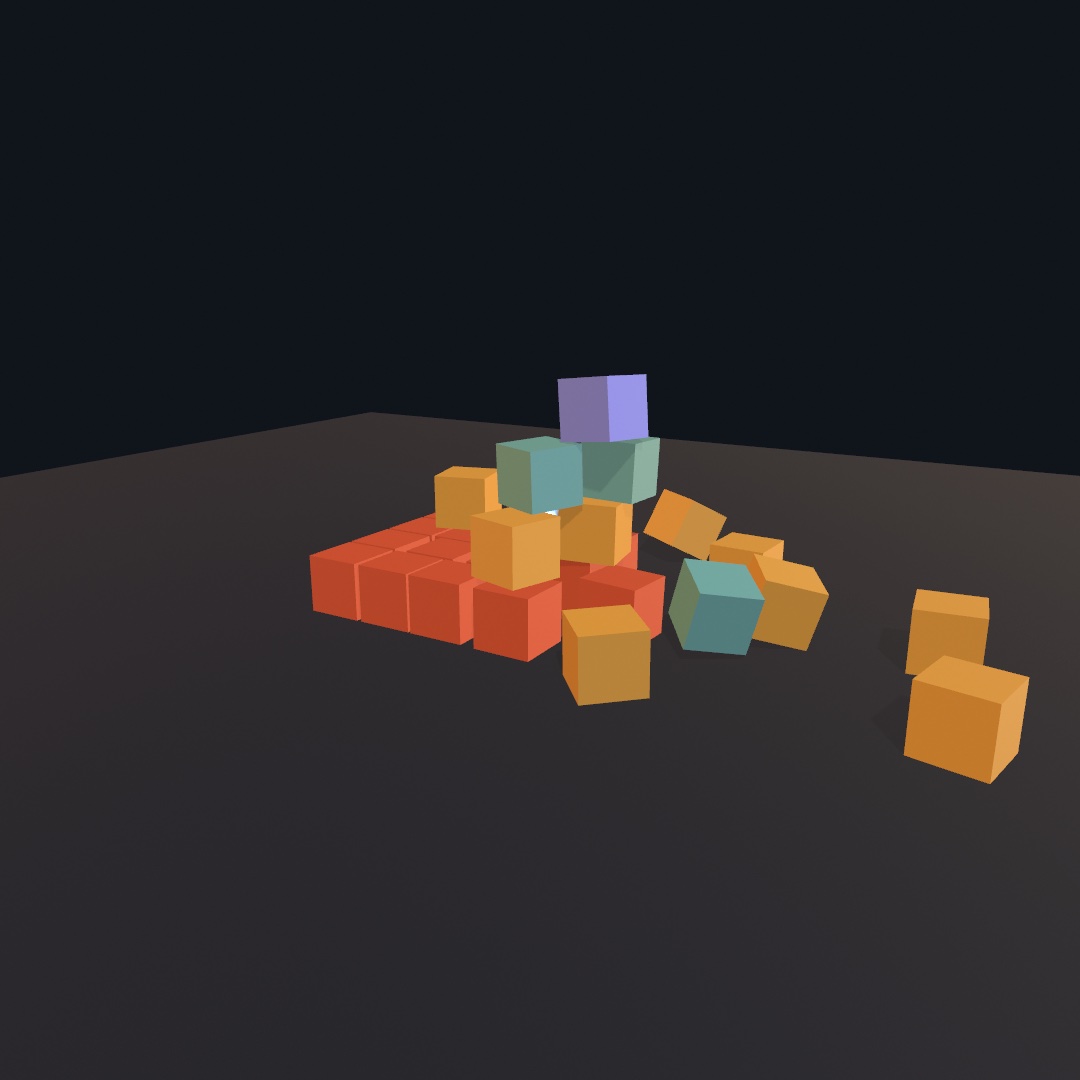
A leaning tower of crates settles into a stable stack. withBody(_:) moves the 3D transform stack to a body's position and orientation, so whatever the block draws follows the body.
Distances are the 3D scene's world units, y-up, the same units the camera uses. The solver works in meters, and it behaves best with bodies roughly 0.1…10 units across. That is the scale the 3D examples already draw at. If your scene is built larger, unitsPerMeter rescales the conversion between the two.
Contents
- World3D - the simulation, its ground, and the per-frame
advance(by:) - Body3D - a rigid body: pose, velocity, forces
- Motion parameters - which ways a body may move, its own gravity, checking its path
- Collider3D - the shape catalog
- Compound bodies - several shapes fused into one body
- Terrain and scenery - heightfield ground and
Scenecolliders - Joints - hinges, ball-and-sockets, rods, welds, sliders
- Motors, limits, and springs - powered hinges and sliders, travel stops, springy ends
- Tracks, ropes, and freedoms - a path to follow, a pulley, and the general joint
- Gears and racks - one joint driving another
- Contacts - what hit what this step, and how hard
- Sensors - regions that detect without colliding
- Collision groups - saying that two kinds of thing never touch
- Queries - rays, shape sweeps, and overlaps: asking the world what is there
- Characters - a walking figure you steer from
draw() - Vehicles - a chassis on sprung wheels you drive from
draw() - Tracks - the same machine on two bands, turning without steering
- Ragdolls - a skinned figure given weight, limp or powered
- Soft bodies - cloth that drapes and closed shapes that squash
- Ropes - a line of particles on rigid rods, each carrying an orientation
- Tensegrities - struts held apart by cables, standing on their own
- Cloth a figure carries - a cape on a skeleton: what is held, what hangs
- Water - what floats, how deep it sits, what carries it, and
buoyancyScale - Saving and loading - keeping an arrangement you like, and putting it back
- Reading physics from a file - picking up
UsdPhysicsbodies and joints authored elsewhere - Grabbing with the mouse - ray-picking and dragging bodies through the camera
- Drawing bodies -
withBodyand matching meshes to colliders
World3D
let world = World3D()
world.gravity = Vector3(0, -9.8, 0)   // the default: earth, pulling down y
world.ground = 0                      // optional static floor at a y level
world.restitution = 0.2                    // what a body gets when it names none
world.drag = 0.00083                       // the solver's own 5% a second; 0 lets bodies coast
world.substeps = 1                         // pieces each step is cut into, for a scene of hinges
world.advance(by: deltaTime)             // once per frame
ground is a wide static slab whose top face sits at the level you give it. The default is nil, which lets bodies fall forever. advance(by:) clamps the step to maxTimestep, which is 1/30 s, so a stalled frame cannot launch the scene. It runs one collision pass per 1/60 s of simulated time, rounding up, so a frame a hair longer than that takes two.
drag is the share of speed, and of spin, a body loses every sixtieth of a second, the same number the 2D world reads. At 0 a body coasts forever. The default is the solver's own 5% a second, so a sketch that never sets it moves as it always has. A change reaches every rigid body already in the world. A soft body, a rope, a ragdoll, and a vehicle carry damping of their own. A change to gravity wakes every body, so a box asleep on the floor feels gravity turned the other way.
How many bodies a world holds. World3D(maxBodies:) sets aside the solver's tables up front, 4,096 bodies by default, and maxBodies reads back what the world was made with. A body added past it does not exist in the solver. So make the world with room for every body the scene holds at once. Each body also gets room for sixteen touching pairs. That is enough for a box packed in a pile, which touches up to 26 neighbors by face, edge, and corner. A pile denser than that drops some contacts, and the bodies whose contacts were dropped pass through each other for that step. lastError then says so in a sentence, and the next step that keeps every contact clears it. A larger maxBodies holds a denser pile.
substeps cuts each step into pieces, on top of the one pass per sixtieth of simulated time a long frame already takes. The solver's joints lose a little every step, in proportion to its length. A bar hinged at one end and let go horizontal returns to 92% of its height on its first swing at one piece a frame, and to 98% at four. At sixteen it holds within 5% for ten seconds. Every body pays for the count, so it is for a scene whose pendulums and linkages matter rather than a pile.
You manage bodies and joints the way the 2D world manages its own:
let crate = world.addBody(.box(width: 1, height: 1, depth: 1),
                          at: Vector3(0, 4, 0),
                          kind: .dynamic,        // .static / .kinematic
                          rotated: 0.4, axis: .unitY,
                          density: 1, friction: 0.5, restitution: nil)
world.remove(crate)      // removes its joints too
world.removeAll()
density is relative, and 1 is the default material, so a denser body shoves a lighter one. friction runs from 0, which is slick, to 1, which is grippy. restitution defaults to the world's own restitution and follows it until the body is given one of its own. The ground carries no bounce of its own, so a body bounces off it with its own value, and two bodies meet with the larger of theirs.
A number the solver cannot hold is refused at the bridge. The solver keeps single precision and stops simulating sensibly a few kilometers from its origin. So every number a sketch hands it is checked where it crosses over: a value that is not a number, an infinity, or a magnitude past a billion units never reaches it. A property keeps what it had, so body.velocity = Vector3(.nan, 0, 0) leaves the velocity alone. A force or an impulse made of one does nothing, and advance(by:) skips the step. A creation argument falls back to its default: addBody(at:) given such a position places the body at the origin, and a collider carrying one becomes a sphere of one unit. Each prints one note naming the call, once per world. A sketch whose arithmetic went wrong reads why in the console instead of stopping inside the solver. The calls that already throw for what they cannot build (addVehicle, addSoftBody, addRope, addRagdoll, addTensegrity) throw PhysicsError.unbuildable naming the number instead. A limit that means none, such as a motor's strength: .infinity, still passes. A snapshot refuses the same numbers from a file.
Body3D
You read and drive a body through its pose:
body.position                 // Vector3, get/set
body.rotation                 // Rotation3D, get/set: one value for the whole turn
body.rotation = .aboutY(0.1) * body.rotation   // composed a tenth further round
body.setRotation(.pi / 4, axis: .unitZ)        // the same as rotation = Rotation3D(angle:axis:)
body.rotationAngle            // radians about…
body.rotationAxis             // …this unit axis (the same pose, read as a pair)

body.velocity                 // units per second, get/set
body.angularVelocity          // radians per second about each axis
body.mass                     // from collider volume × density (0 when static or kinematic)
body.kind                     // switch .dynamic / .static / .kinematic live
body.friction                 // 0 slick … 1 grippy, get/set
body.restitution              // how much speed survives a bounce, get/set
body.isAwake                  // settled bodies sleep until touched
Every body loses the world's drag from its speed and its spin, 5% a second by default, so nothing coasts forever and a thrown ball lands a little short of the parabola. world.drag = 0 gives the exact parabola. A spin fast enough to turn a shape more than a quarter turn between frames can carry a thin shape through another, since contacts are found once a step.
body.applyForce(Vector3(0, 40, 0))      // steady, accumulated for next step
body.applyImpulse(Vector3(2, 0, 0))     // instantaneous kick
body.applyTorque(Vector3(0, 5, 0))      // spin about each axis
userData is a free slot for anything the sketch wants to attach to a body, such as its color or its mesh. collider keeps the shape the body was created with, so a drawing loop can match a mesh to it without keeping a second array alongside.
Motion parameters
You can tell a body three things about its own motion. Each one is available when you add the body, and each one stays settable while the sketch runs.
let coin = world.addBody(.cylinder(height: 0.1, radius: 0.4), at: p,
                         freedom: .plane(),        // stays flat
                         gravityScale: 0.4,        // falls lazily
                         checksPath: true)         // never tunnels

coin.freedom = .upright                            // all three are live
coin.gravityScale = -0.2
coin.checksPath = false
freedom says which of the six directions the body may use. Three of them travel along a world axis, and the other three turn about one. Everything is free by default.
.all                        // the default
.plane()                    // travels in x and y, turns about z: a flat world
.plane(normal: .unitY)      // travels in x and z, turns about y: a top view
.upright                    // travels any way, turns only about up, never tips
.noTurning                  // slides and is shoved, never spins
.noMoving                   // spins where it is, never travels
[.moveX, .moveY, .moveZ, .turnZ]   // or spell out whatever fits
.plane() is what makes a sketch 2.5D. A sketch drawn side-on stays flat however hard things hit each other, while everything else about the world carries on in three dimensions. That includes lighting, shadows, solid drawing, and the whole collider catalog. The solver gives the body infinite mass along a locked direction, so nothing can move it that way. Not gravity, not a contact, not a joint, and not a velocity you set yourself. Only whole world axes can be taken away, so .plane(normal:) rounds its normal to the nearest axis, and there is no tilted plane. An empty set would leave a body no freedom at all, which the solver cannot express, so it reads as .all. To hold a body still, set kind = .static instead.
gravityScale is how strongly this one body answers the world's gravity. 1 is the same as everything else, 0 is weightless, and a negative value makes the body rise.
balloon.gravityScale = -0.3
feather.gravityScale = 0.15      // falls a sixth as far in the same second
checksPath sweeps the body's shape along its whole path each step, instead of only testing where it ends up. It is off by default, and it is worth turning on for anything small and fast. A fast body can cover more than its own width between two steps. It is then in front of a thin wall at one step and past it at the next, without ever having touched it.
let pellet = world.addBody(.sphere(radius: 0.05), at: muzzle, checksPath: true)
pellet.velocity = Vector3(0, 0, 120)
The check costs nothing while the body is slow. It only runs once a body covers a good fraction of its own size in a step. An ordinary throw therefore lands on exactly the same spot either way. What it does cost is a little accuracy in speed. A body that hits something at pace gives up the rest of its step where it struck. This is continuous collision detection, under a name that says what it does. Two neighbors answer the same problem themselves and need nothing turned on. A Character3D already tests its path as it walks, and a Vehicle3D's wheels feel for the road by casting rays. So on a vehicle it is the chassis, vehicle.body.checksPath, that would want it if anything did.
Collider3D
A collider is the local shape of a body, centered on the body's origin. Position and orientation come from the body itself.
.sphere(radius: 0.5)
.box(width: 1, height: 0.6, depth: 0.8)
.capsule(height: 0.8, radius: 0.2)      // straight section + rounded caps, y axis
.cylinder(height: 0.8, radius: 0.3)     // flat caps, y axis
.taperedCapsule(height: 0.8, topRadius: 0.15, bottomRadius: 0.3)   // a club
.taperedCylinder(height: 0.8, topRadius: 0.1, bottomRadius: 0.3)   // a frustum
.cone(height: 0.8, radius: 0.3)         // base down, apex up, matches drawCone
.hull([Vector3])                        // convex hull of at least 4 points
.mesh(mesh)                             // exact triangles; static bodies only
.heightfield(land, width: 14, depth: 14, height: 4)   // terrain; static, see below
.compound([.part(...), .part(...)])     // several shapes as one body, see below
The upright shapes all stand along the body's y axis, so rotate the body to point one somewhere else. Their height matches the matching draw call (drawCapsule, drawCylinder, drawCone), so the draw call takes the collider's own numbers. The two tapered shapes slope between two radii. A taperedCylinder keeps flat caps, so equal radii make a plain cylinder, and a zero top radius is exactly .cone. A taperedCapsule rounds both ends with caps of different sizes, and both of its radii must be positive. A .mesh collider is for scenery, such as a loaded set piece or an exact sculpted form. It has no volume to take a mass from, so a dynamic body created with one is pinned in place. For a shape that moves, use .hull, a primitive, or a .compound of them.
Compound bodies
.compound fuses several colliders into one rigid body, such as a hammer, a table, or a windmill's blade cross. Each part is a child collider placed in the body's local space. The body's mass, balance, and inertia come from the whole assembly, so a lopsided tool tumbles the way a lopsided tool should.
let hammer = world.addBody(.compound([
    .part(.capsule(height: 0.9, radius: 0.06)),          // the handle
    .part(.box(width: 0.3, height: 0.14, depth: 0.14),
          at: Vector3(0, 0.52, 0), density: 8),          // the head, leading the swing
]), at: Vector3(0, 3, 0))
.part(_:at:rotated:axis:density:) places any collider at a position and rotation inside the body. Everything defaults to the origin with no rotation, so a single offset part is also how you shift a shape away from its body's origin. A part's density is relative and multiplies the body's own, which is what makes the hammer's head heavy against its handle. Parts can nest, so a compound can hold another compound, and every part should be a solid shape. A .mesh or .heightfield part pins the body in place, the same as using one on its own.
Draw a compound the way you built it. withBody poses the whole body, and then you translate and rotate to each part's pose and draw its shape. The 3D/Physics/Windmill example does exactly that with a small recursive helper.
Terrain and scenery
.heightfield turns a Heightfield into solid ground, sized exactly like its mesh(width:depth:height:). That is a width × depth grid centered on the body's origin, and each sample is lifted to height · value. The collider and the drawn mesh trace one surface, so what rolls matches what renders:
let land = Heightfield.diamondSquare(size: 257, roughness: 0.55, seed: 7)
    .eroded(.hydraulic(), seed: 7)
world.addBody(.heightfield(land, width: 14, depth: 14, height: 4),
              at: .zero, kind: .static)
drawMesh(land.mesh(width: 14, depth: 14, height: 4))   // the same numbers
The field is resampled onto a square power-of-two grid for the solver, so any grid shape works. That grid is at least as fine as the source resolution, and it is capped at 1024 samples per side. There is nothing beyond the field's edges, so bodies roll off into empty space. Like .mesh, a heightfield can only be static.
For scenery that arrives as a file, one call gives a whole Scene its colliders:
let hall = try loadScene("hall.usdz")
world.addStaticBodies(from: hall)
It walks the node tree and adds one static mesh body for each mesh node. The node's world transform is baked into the triangles, including nested groups and authored rotations and scales. Colliders take each mesh as authored, at rest, so skins and morph targets are not posed. friction: and restitution: apply to all of them, and you still draw the scene itself with drawScene(_:).
Joints
connect links two bodies with a Joint3D. Anchors and axes are world coordinates, read at the moment you connect.
world.connect(door, frame, .revolute(at: hingePoint, axis: .unitY))
world.connect(link, next, .ball(at: meetingPoint))
world.connect(a, b, .distance(from: pa, to: pb))          // a rod; stiffness < 1 softens
world.connect(a, b, .cable(from: pa, to: pb, length: 3))  // a rope: taut at 3, slack closer
world.connect(a, b, .weld)                                // rigid at current pose
world.connect(carriage, rail, .prismatic(at: p, axis: .unitX))
.cable is .distance's one-way sibling. It stops two anchors parting past its length and lets them come as close as they like, which is what a tether or a guy line does. A length shorter than the anchors' spacing starts it taut and pulls them together. .ball is the one kind that only 3D has. It is a ball-and-socket that rotates freely in every direction, which is what a hanging chain is made of. A hinge, .revolute, allows rotation only about its axis. Cut any joint with joint.remove().
.swingTwist is the ball-and-socket with limits, and it is the joint a body is made of. Give it the bone's direction. The bone may then lean away from where it started by at most swing radians in any direction, which traces a cone. It also rolls about itself within twist:
world.connect(chest, upperArm,
              .swingTwist(at: shoulder, axis: Vector3(-1, 0, 0),
                          swing: .degrees(80), twist: -0.6...0.6))
A shoulder is a wide cone with a little twist, and a knee is a narrow one. swing: 0 locks the bone straight, and .pi frees it entirely. Its angle reads how far the joint is bent right now, and friction gives it the stiffness of an old hinge. This is the joint addRagdoll hangs every limb on.
Three more kinds do what none of these can.
.paththreads a body onto a track..pulleyruns a rope over two hooks..allowingis the general joint written as the freedoms it keeps.
Two more kinds, gears and a rack and pinion, link one joint to another.
Motors, limits, and springs
Hinges and sliders can do more than swing free. You can bound their travel, power them, and put springs on their stops. Together those make doors that close themselves, windmills that turn, and drawers that stop at the end of their rails.
Limits are set on the joint kind itself. Both kinds measure from the pose at the moment of connecting, and that pose counts as 0, so the range must straddle zero:
// A door that opens 100° one way from where it hangs now:
let door = world.connect(frame, panel,
    .revolute(at: hingePoint, axis: .unitY,
              limits: -0.01 ... .degrees(100)))    // radians; ±π at most

// A drawer that pulls out 2 units:
let drawer = world.connect(cabinet, tray,
    .prismatic(at: p, axis: .unitZ, limits: -0.01 ... 2))   // world units
Motors are two calls on the Joint3D that connect returns, one for each intent:
mill.drive(at: 2.5)          // constant rate: rad/s (hinge), units/s (slider)
door.drive(to: 0)            // seek a target angle / offset and hold it
door.stopMotor()             // cut power; the joint swings free again
drive(to:) is a spring servo. frequency is how fast it pulls, where 2 is a slow door closer and 20 is a quick robot servo. damping at 1 settles cleanly, and a lower value overshoots and bounces. Both forms take strength, which caps the motor's torque in N·m or its force in N. The default is unlimited, so the motor simply reaches its target. A small value gives the motor something it can lose against, such as a door closer that a rolling ball can push through:
door.drive(to: 0, frequency: 1.2, strength: 60)Driving is stateful. Set it once and the motor keeps pulling every step, until you call stopMotor() or another drive. To read where the joint sits right now, use door.angle in radians or drawer.offset in world units. Both are 0 at the connect pose.
Two passive parameters finish the set:
hinge.friction = 80                          // drag torque/force when unpowered
gate.softenLimits(frequency: 3, damping: 0.5)   // springy end stops
friction is what makes a stiff old hinge. It is a constant resistance the joint's motion has to overcome while no motor is powering it. It is also what winds a spinning wheel down after stopMotor(). softenLimits swaps the hard stops for springs, so a gate thrown against its limit gives a little and bounces back. A frequency of 0 restores the hard stop. The other joint kinds have no axis to power, so a motor call on a .ball, .distance, or .weld notes once and does nothing. .distance has a spring of its own, the stiffness on that case.
A .swingTwist joint takes both motor calls too, plus one more of its own. A single number given to a joint that bends in every direction can only mean the roll about its own axis. So drive(at:) and drive(to:) run the twist and leave the bend alone. joint.twist reads that roll back, and joint.angle reads the bend. To point the bone somewhere, say where:
neck.drive(toward: (bird.position - head.position).normalized, frequency: 6)
neck.stopMotor()                                   // and it hangs again
drive(toward:) pulls the joint's axis onto a world direction, rolled twist radians about itself. It is clamped to the joint's own cone and twist limits. Aim past the cone and the bone leans as far as it may. Set it each frame to follow something.
Tracks, ropes, and freedoms
Three more kinds each do something no hinge or slider can.
.path is a track. Give it a ring of points. The second body is threaded onto the smooth curve through them, free to travel along it and to do nothing else. That is the rollercoaster car, the bead on a wire, and the camera on a dolly rail:
let track = world.connect(rails, cart,
                          .path(through: points, looping: true,
                                alignment: .followsPath))
track.drive(at: 6)         // world units per second along the track
track.drive(to: 0.5)       // or seek half way round and hold there
track.progress             // 0 at the first point, 1 at the last
The curve is a spline through the points, not a polyline, so a handful of them describes a long track. The body joins the curve at the point nearest to wherever it already is, so put it on the track before you connect. alignment says how much of the body's turning the track takes over.
.freeleaves it tumbling..rollslets it spin only about the direction of travel..followsPathbanks it into every bend..fixedholds the first body's orientation the whole way round.
The track belongs to that first body, so if you hang it off a moving body the track and the body on it travel with it. A flat Contour becomes a track on the ground in one call:
world.connect(ground, cart, .path(loop, atHeight: 0.3)) // contour y runs along world z.pulley is a rope over two hooks. One end sits on each body. The total length of the rope is what ties them together, so one side rising means the other side falling:
world.connect(tray, counterweight,
              .pulley(from: trayTop, over: leftHook,
                      and: rightHook, to: weightTop))
Read the call as written: from the tray, over the left hook, across to the right one, and down to the weight. ratio is how many falls of rope hold the second side. A ratio of 2 is a block and tackle, so that side moves half as far and lifts twice as much. A rope resists being pulled longer, but it does not resist going slack, which is what lets both ends drop together. taut: true makes it a rigid linkage instead, so lifting one end drives the other one down. Both ends must be an ordinary or a static body. The solver reads a kinematic body wrongly here, so that case is refused with a note. Move a static end instead.
.allowing is the general joint, written as what it keeps. Every other kind is one choice out of a body's six degrees of freedom. When none of them fits, name the freedoms you want:
// A platter on a post: it may rise and it may spin, and nothing else.
world.connect(post, platter,
              .allowing([.moveY, .turnY], at: top, travel: 0...1.4))
The freedoms are the same Freedom3D set a body's own motion parameters use, given in world axes at the moment of connecting. travel bounds every direction the body may move in, and rotation bounds every axis it may turn about. Both are measured from the connect pose, and leaving either one out runs it unbounded. .allowing([]) is a weld, and .allowing([.turnX, .turnY, .turnZ]) is a .ball. A single turn with a range is a hinge, which is a good way to see what the named kinds are made of.
Gears and racks
The last two kinds link joints rather than bodies, because what they tie together is the motion those joints allow. Build each part's own joint first, and then connect the joints:
let small = world.connect(frame, pinion, .revolute(at: hub, axis: .unitZ))
let big = world.connect(frame, wheel, .revolute(at: farHub, axis: .unitZ))
world.connect(small, big, .gear(teeth: 20, and: 36))
Turning either hinge now turns the other, in the opposite direction and at the ratio you asked for. .gear(ratio:) says the same thing as a plain number, which is how many turns the first makes for one turn of the second. It counts teeth and has no sign, so to make a pair turn the same way, flip one hinge's axis.
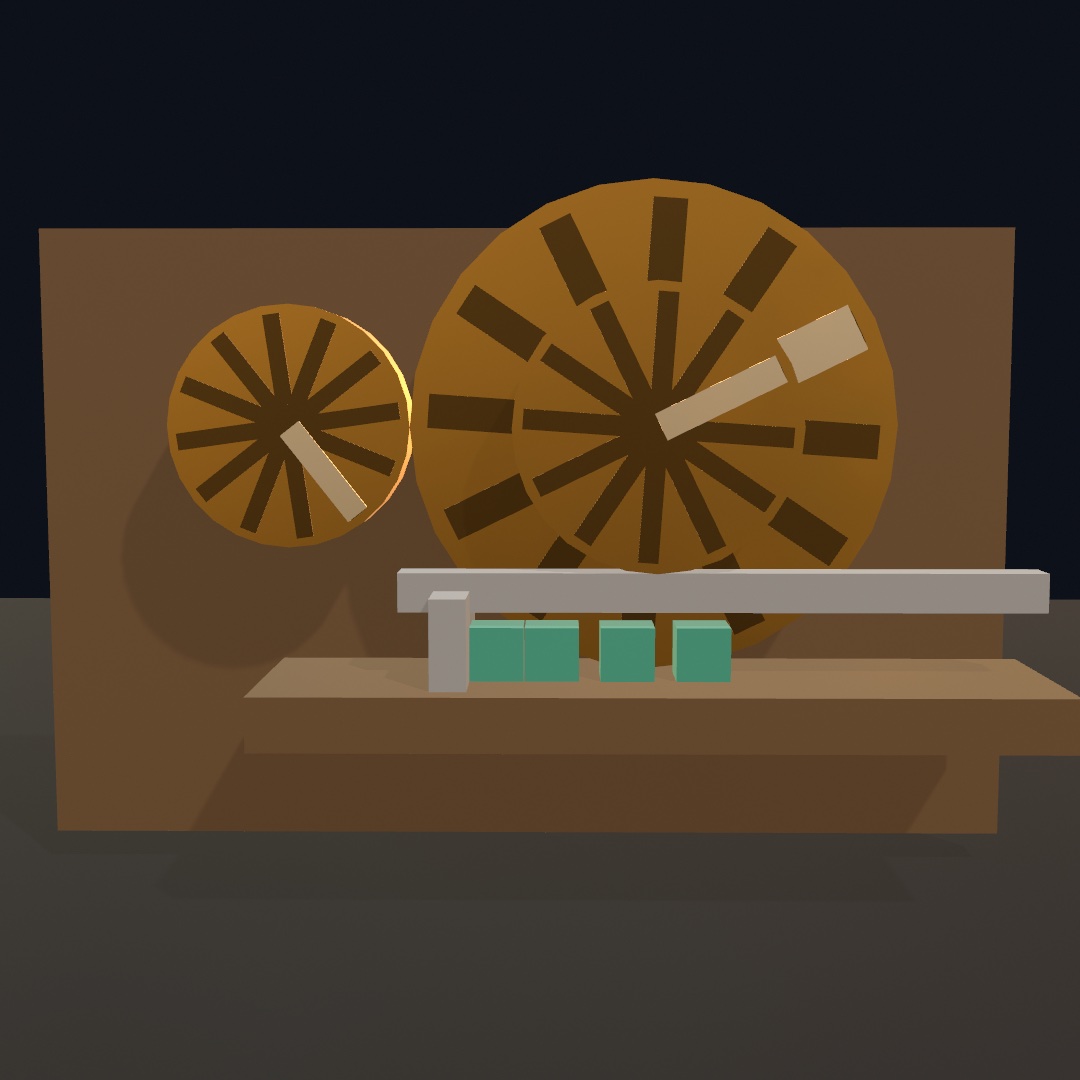
A rack and pinion ties a hinge to a slider, so turning drives sliding:
let rack = world.connect(frame, bar, .prismatic(at: p, axis: .unitX))
world.connect(big, rack, .rackAndPinion(travelPerTurn: .tau * pinionRadius))
travelPerTurn is how far the bar runs, in world units, for one full turn of the pinion. For a pinion of radius r rolling along the bar, that is the pinion's own circumference. A negative value runs the bar the other way.
Both links take a hinge as their first joint. The second joint is a hinge for a gear, or a slider for a rack and pinion, and anything else notes once and does nothing. Each joint's moving part is the body that is not static. When both bodies can move, the moving part is the second body the joint was connected with. That matches the order every connect call is written in, with the frame first and the part that turns second. The shapes themselves never touch, so tell meshed wheels not to collide, or their plain cylinders will jam:
world.ignoreCollisions(between: "gears", and: "gears")Contacts
You poll for touches rather than receive them. Each advance(by:) fills world.contacts with everything that started or stopped touching during that step, and draw() reads the list the way it reads mouse state:
world.advance(by: deltaTime)
for contact in world.contacts where contact.phase == .began {
    sparks.append(Spark(at: contact.point, size: contact.speed))
}
A Contact3D carries the pair, a and b, always in the same order. That order never means one of them is the body that moved. It also carries where they met in point, and the normal pointing from a toward b. speed is how fast they were closing when they met. It is measured before the solver answers the collision, so it reads the force of the impact rather than what survived the bounce. That is what you want for the volume of a clink or the size of a spark. Two helpers save you from working out which body is yours:
contact.involves(ball)          // is this ball in it?
contact.other(than: ball)       // what did it hit?
Contacts are reported per body pair. A crate resting on a mesh floor touches it along many triangles, and a compound body touches on several of its parts. Either way that is one began when it lands and one ended when it lifts.
An ended contact carries only the pair. By the time the solver notices a touch is over there is nothing left to measure, and the other body may already have been removed. So point, normal, and speed are all zero there.
The two sides are typed any Colliding3D rather than Body3D, because either one may be a soft body. A cloth is a real thing in the world, and it lands on floors and sails into sensors. There is nothing to push it with, though, and no single pose to read, which is what the type says. involves, other(than:), and === all work either way. Cast to the concrete kind when you want to act on it:
if let crate = contact.other(than: raft) as? Body3D {
    crate.applyImpulse(Vector3(0, 3, 0))    // only a solid takes one
}
You can also ask each body directly, out of the same list:
ball.contacts                   // this step's events involving this ball
ball.arrivals                 // bodies that started touching it this step
ball.departures               // bodies that stopped
ball.touching                   // everything it is in contact with right now
ball.isTouching(floor)
The floor from world.ground is a body too, but it is not one of the bodies in bodies. Nothing added it, and a drawing loop should not have to skip a 1000-unit slab. It answers to world.groundBody, so you can recognize a landing:
if contact.other(than: ball) === world.groundBody { thud() }touching has one thing worth knowing. The solver lets a settled body sleep, and a sleeping body stops reporting contacts. A stack that has come to rest therefore reads as touching nothing. That is the right answer for events, because nothing is happening, but it is a surprising one when you want to know what is there. When the question is what is resting in this region, use a sensor, which stays awake.
Sensors
A sensor is a region rather than a solid. Things pass straight through it, and it reports each one.
let goal = world.addBody(.cylinder(height: 0.5, radius: 1), at: hoopCenter,
                         isSensor: true)

// in draw(), after step:
score += goal.arrivals.count           // balls that crossed this step
let inside = !goal.touching.isEmpty   // one is crossing right now
Sensors push nothing and are pushed by nothing, so a ball falls through one exactly as it would through empty air. A sensor can also share space with solid geometry. The hoop above is a solid rim of beads with a sensor disc filling the ring. The rim is what a ball clatters off, and the sensor is the hole.
A sensor sets its own motion. It is kinematic and never sleeps, whatever kind you asked for, so it goes on reporting bodies that have settled and fallen asleep inside it. That is what makes a tray or a pressure plate work:
let tray = world.addBody(.box(width: 3, height: 0.7, depth: 3),
                         at: Vector3(0, 0.55, 0), isSensor: true)
let load = tray.touching.count        // still right once they doze off
A sensor never falls, so it stays where you put it. Move one by setting its position. To make a detector follow something, drive it from that body's pose each frame. Sensors are also invisible to body(under:in:) and grabBody(at:in:), so the cursor's ray looks straight through them to the solid scene behind.
Sensors detect moving bodies, which means dynamic and kinematic ones. They do not detect static scenery, and they do not detect each other. So a trigger volume laid over the ground does not spend every step reporting the ground.
Collision groups
Everything in a world collides with everything else. A collision group is a name you put things in. You can then tell the world that two of those names pass straight through each other.
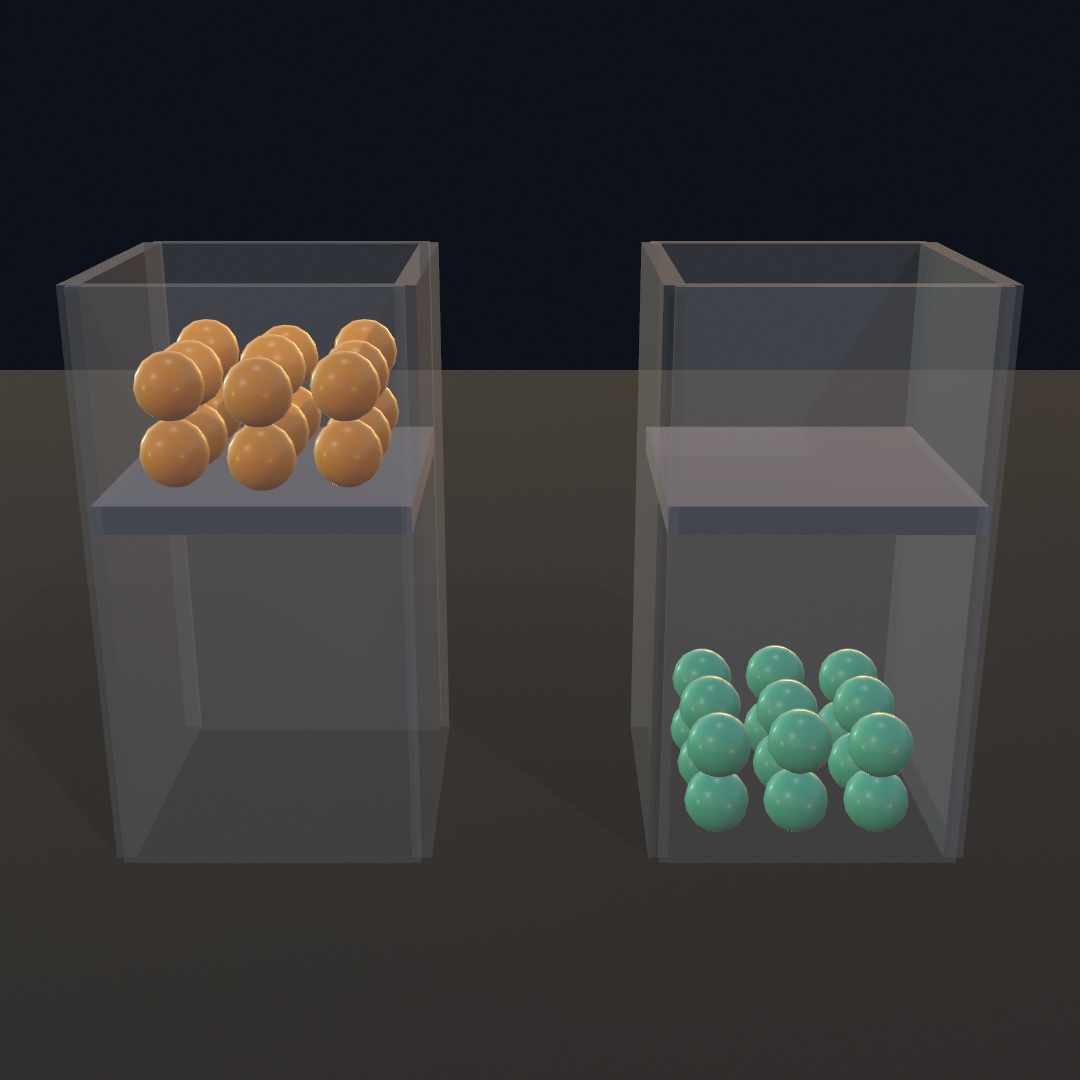
let bead = world.addBody(.sphere(radius: 0.2), at: p, group: "beads")
world.ignoreCollisions(between: "beads", and: "glass")
That is the whole surface: group: wherever a thing is made, and one sentence for each rule. A rule is a fact about a pair rather than a direction. You cannot say that beads ignore the glass while the glass still collides with beads. allowCollisions(between:and:) withdraws a rule, and collides(between:and:) reads one back.
Everything starts in .default, and naming a group is not itself a rule. A world with no rules behaves exactly like one with no groups. A group only means something once you have said something about it. That is why a group name is a plain string that needs no declaring.
A group collides with itself until you say otherwise, so two crates in one group still stack. Naming the same group twice is how confetti falls through its own drift:
world.ignoreCollisions(between: "confetti", and: "confetti")What a rule reaches. A filtered pair is filtered everywhere the pair could have met.
- It never collides.
- It never reaches
contacts. - A sensor in an ignored group never reports it.
- A character walks through it, including through another character.
- A vehicle's wheels do not feel it under them.
Every kind of thing takes a group:
world.addBody(…, group: "phantoms")
world.addCharacter(…, group: "phantoms")
try world.addVehicle(…, group: "traffic")
try world.addRagdoll(from: figure, group: "phantoms")
try world.addSoftBody(from: cloth, group: "drapes")
world.addStaticBodies(from: hall, group: "scenery")
Each of them can also be moved between groups while it runs, through body.group, character.group, vehicle.group, ragdoll.group, and softBody.group. A rule written after things have already settled on each other still applies. The bodies are woken so the solver looks at the pair again.
A separate mechanism keeps a figure's own limbs from fighting each other, and groups never touch that mechanism. So two ragdolls in one group still collide with each other exactly as they should.
Asking as a group. Every query takes as:. It asks the question the way a body of that group would ask it, looking straight through whatever that group passes through:
world.ignoreCollisions(between: "bullets", and: "glass")

world.raycast(from: muzzle, to: target)                  // stops at the pane
world.raycast(from: muzzle, to: target, as: "bullets")   // goes through it
A query with no as: is asked in .default and sees the whole world.
The bookkeeping. A world holds World3D.maxCollisionGroups groups, which is 64. Naming more than that leaves the extras in .default, rather than quietly folding them onto a group already in use. world.collisionGroups lists the groups it knows, in the order they were named, which is how you find a misspelled name. A typo makes a new group, so a rule written about it does nothing.
The worked example is Examples/3D/Physics/Sieve, which sorts three colors of bead down one ramp. The sorting itself is three ignoreCollisions calls.
Queries
contacts reports what the solver noticed while it stepped. A query asks the world something else, between steps. It asks what lies along this line, what a shape would run into, or what is inside this region right now. Every query answers immediately, none of them changes anything, and none of them needs a body to ask with.
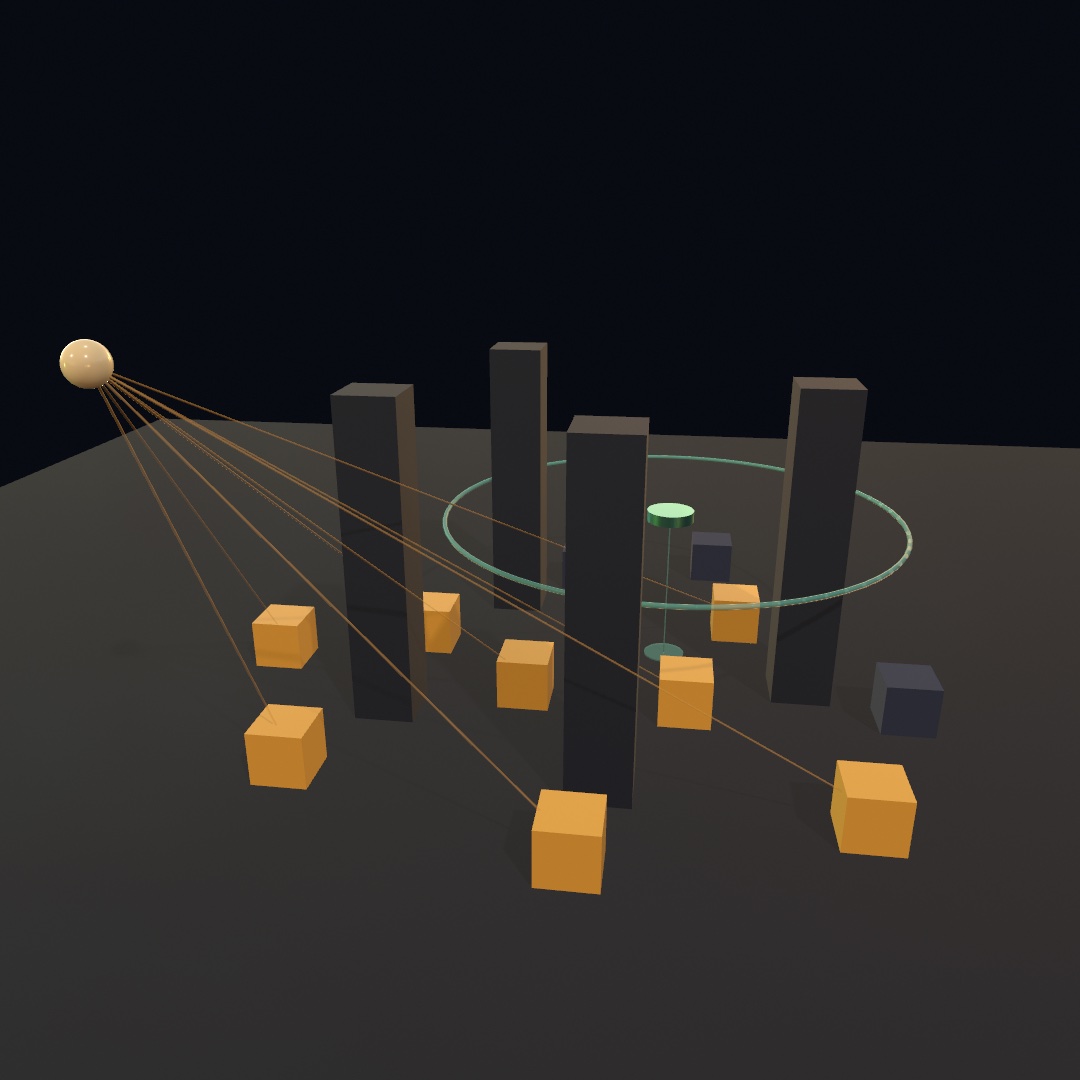
Every answer is a Hit3D.
bodyis what it ran into. It is typedany Colliding3D, since it may be a soft body.pointis where the query touched it.normalis the outward surface direction there.distanceis how far along the query the touch was, from a ray's start, or how far a swept shape traveled.
Rays. raycast(from:to:) returns the nearest body along a segment. raycastAll(from:to:) returns every body along it, nearest first.
// line of sight: the crate is visible when the crate is what the ray found
let visible = world.raycast(from: lamp, to: crate.position)?.body === crate

// a ground probe: how far down the floor is
let drop = world.raycast(from: p, to: p - Vector3(0, 20, 0))?.distance
A ray is a segment, not an infinite line, so it reaches exactly as far as to. For a direction and a reach, pass to: p + direction * reach.
Sweeps. sweep(_:from:to:) slides a collider along a line without turning it, and returns the first thing it runs into. sweepAll returns all of them. A ray asks what is in the way, while a sweep asks whether something fits. A clearance probe asks that question. So does a camera that must not end up inside a wall, and so does a step a character is about to take.
// hold 1.5 units above whatever passes below, crates included
let below = world.sweep(.sphere(radius: 0.4), from: overhead,
                        to: overhead - Vector3(0, 12, 0))
let height = (below?.point.y ?? 0) + 1.5
rotated: and axis: turn the probe, which changes what fits. A wide, thin box goes through a narrow gap edge-on but not flat. A sweep that starts out already touching something reports a distance of 0. mesh and heightfield colliders describe scenery rather than a probe, so you cannot sweep or overlap with one. Use a hull, a compound, or a primitive instead.
Overlaps. bodiesOverlapping(_:at:) returns the bodies inside a shape placed in the world, in a stable order. There is one entry per body, however many of its parts are inside. bodiesContaining(_:) is the same question for a bare point.
for caught in world.bodiesOverlapping(.sphere(radius: 4), at: blast) {
    guard let body = caught as? Body3D else { continue }   // only a solid takes one
    body.applyImpulse((body.position - blast).normalized * 12)
}
A sensor answers the same question continuously from a body that exists in the scene, which is what a pressure plate or a goal wants. An overlap answers it once, anywhere, with a shape that never existed in the scene.
What a query sees. It sees solid bodies, including static scenery and the ground slab. It also sees the ones the world keeps out of bodies, which are a character's stand-in and a ragdoll's limbs. So you can spot a walking figure through character.body. The soft bodies are in there too. A hanging sheet stops a sightline the way a wall does, and the hit names the SoftBody3D. One thing is deliberately transparent, a sensor, because a detector volume is a region to be inside rather than a surface to hit. Pass includingSensors: true to have sensors reported as well. ignoring: takes anything you want to look straight through, which is how something casts a ray from inside itself, or through a curtain:
let ahead = world.raycast(from: robot.position, to: target,
                          ignoring: [robot])
as: narrows it the other way, by collision group rather than by naming bodies.
Queries cost nothing but the search. Asking does not step the world, so a per-body sight check every frame is an ordinary thing to write.
Characters
A Character3D is a walking figure. It is a capsule that goes where you steer it, climbs steps, and jumps. Walls stop it, and so do slopes that are too steep to hold it. It is not a rigid body, so nothing tumbles it and nothing knocks it over, which is what you want for something a person drives. That is also why you poll for walking in draw() instead of pushing the character with forces.
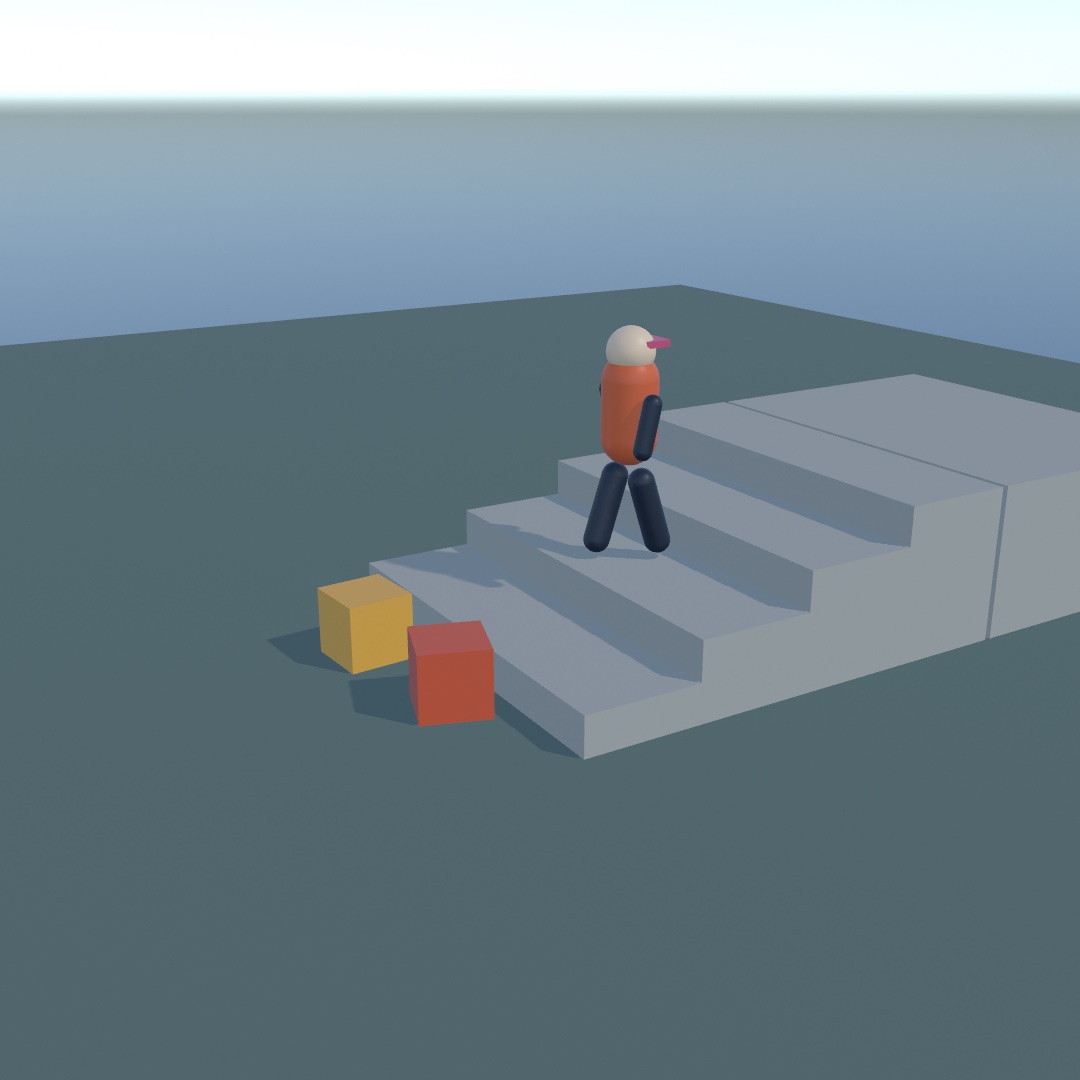
let world = World3D()
var walker: Character3D!

override func setup() {
    world.ground = 0
    walker = world.addCharacter(radius: 0.3, height: 1.8, at: Vector3(0, 2, 0))
}

override func draw() {
    var east = 0.0, south = 0.0
    if isKeyDown(.leftArrow)  { east -= 1 }
    if isKeyDown(.rightArrow) { east += 1 }
    if isKeyDown(.upArrow)    { south -= 1 }
    if isKeyDown(.downArrow)  { south += 1 }

    let heading = Vector3(east, 0, south)
    walker.walk(at: heading.length > 0 ? heading.normalized * 3 : .zero)
    if isKeyDown(" ") { walker.jump() }

    world.advance(by: deltaTime)
    withCharacter(walker) { drawCapsule(radius: 0.3, height: 1.2) }
}
advance(by:) sweeps every character forward along with the bodies, so there is no second update call to remember. walk(at:) sets desiredVelocity, the horizontal velocity the character is trying to walk at, and it holds that until you change it. Falling and jumping are the world's business, so the vertical part of what you pass is ignored. jump(_:) is granted only if the character is on the ground on the next step. So calling it every frame while a key is held gives you a hop each time it lands, rather than flight.
Position is the feet. walker.position is the point the capsule stands on, so a figure modeled standing at the origin lands where it should. withCharacter(_:) moves the 3D transform stack there and turns it by facing, the way withBody(_:) does for a body.
What it can get past
Three settings decide what the geometry does to the character, and each one has a limit you can see:
| what it means | |
|---|---|
stepHeight | The tallest step it walks up without jumping, 0.4 by default. That is a stair, a curb, or a ledge. Set it to 0 and the same stairs become a wall. |
maxSlope | The steepest slope it can climb, in radians (50° by default). A steeper face still holds it up, but it cannot get any further up. |
pushStrength | The hardest it can shove a dynamic body sideways, in newtons (100 by default). At 0 crates become immovable walls to walk around. |
stickToFloorDistance | How far it may be pulled back down onto a floor it would otherwise skip off. Without it a character walking over the crest of a slope launches for a few frames; 0 turns that off. |
stepHeight is the distance the character probes upward, not a hard ceiling. The capsule's rounded foot catches the edge a little first, so a ledge somewhat taller than the setting may still be climbed. Give it a clear margin rather than tuning it to the exact centimetre.
Whether a push actually shifts something depends on pushStrength against what the body weighs. A 4 kg crate on an ordinary floor slides under the default 100 N. A 43 kg one does not, because ground friction alone asks for more than that. Make crates light if you want them scattered.
Reading it back
isOnGround | Standing on ground it can walk on. Use it to gate a jump, or to swap a walk cycle for a falling pose. |
groundState | The full answer. .onGround, .onSteepSlope (held, but too steep to climb), .notSupported (touching something that can't hold it), .inAir. |
groundNormal | The surface under its feet, to lean a drawn figure into a slope. isSlopeTooSteep(_:) answers whether a normal is one it could walk on. |
groundVelocity | How fast the ground itself is moving, so a character on a moving platform moves along with it. |
groundBody | What it is standing on, or nil in the air. A moving platform carries the character along with it. |
velocity | What it is trying to do. That is its intent, including the fall and the jump. |
actualVelocity | What the world let it do, measured from the ground actually covered. |
Those last two are the pair worth knowing. Walk into a wall and velocity still reads a full walking pace, while actualVelocity reads nothing. So a walk cycle driven by actualVelocity stops its legs when the character stops moving:
let pace = Vector2(walker.actualVelocity.x, walker.actualVelocity.z).length
stride += pace * deltaTime * 3.4        // legs stall against a wall
Among the ordinary bodies
A character is swept through the world by hand rather than simulated as a body, so it is not in the scene by itself. It carries a stand-in that is in the scene, walker.body, which is a kinematic Body3D moving inside the capsule. That stand-in is what makes the character visible to everything else on this page. Sensors see it walk in, world.contacts names it, and body(under:in:) can pick it:
if lookout.isTouching(walker.body) { /* standing on the platform */ }A world lists what it holds: bodies, characters, vehicles, ragdolls, softBodies, and tensegrities. The stand-in is deliberately kept out of world.bodies, the same way the ground slab is. A drawing loop over the bodies then does not render a capsule where the sketch draws its own figure. The stand-in's position is its own center, while walker.position reads the feet.
Teleport with position, which also re-reads what is underfoot on the spot. stop() clears both the walking velocity and any speed carried from a fall. Characters collide with each other as well as with the scenery.
The worked example is 3D/Physics/Stroll, an eroded island with stairs up to a lookout that lights as you arrive.
Vehicles
A Vehicle3D is a machine you operate rather than a body you push. It is a chassis carried on sprung wheels, with an engine and a gearbox behind the throttle. You set four numbers each frame, and the wheels do the rest by finding their own grip on whatever they are rolling over.
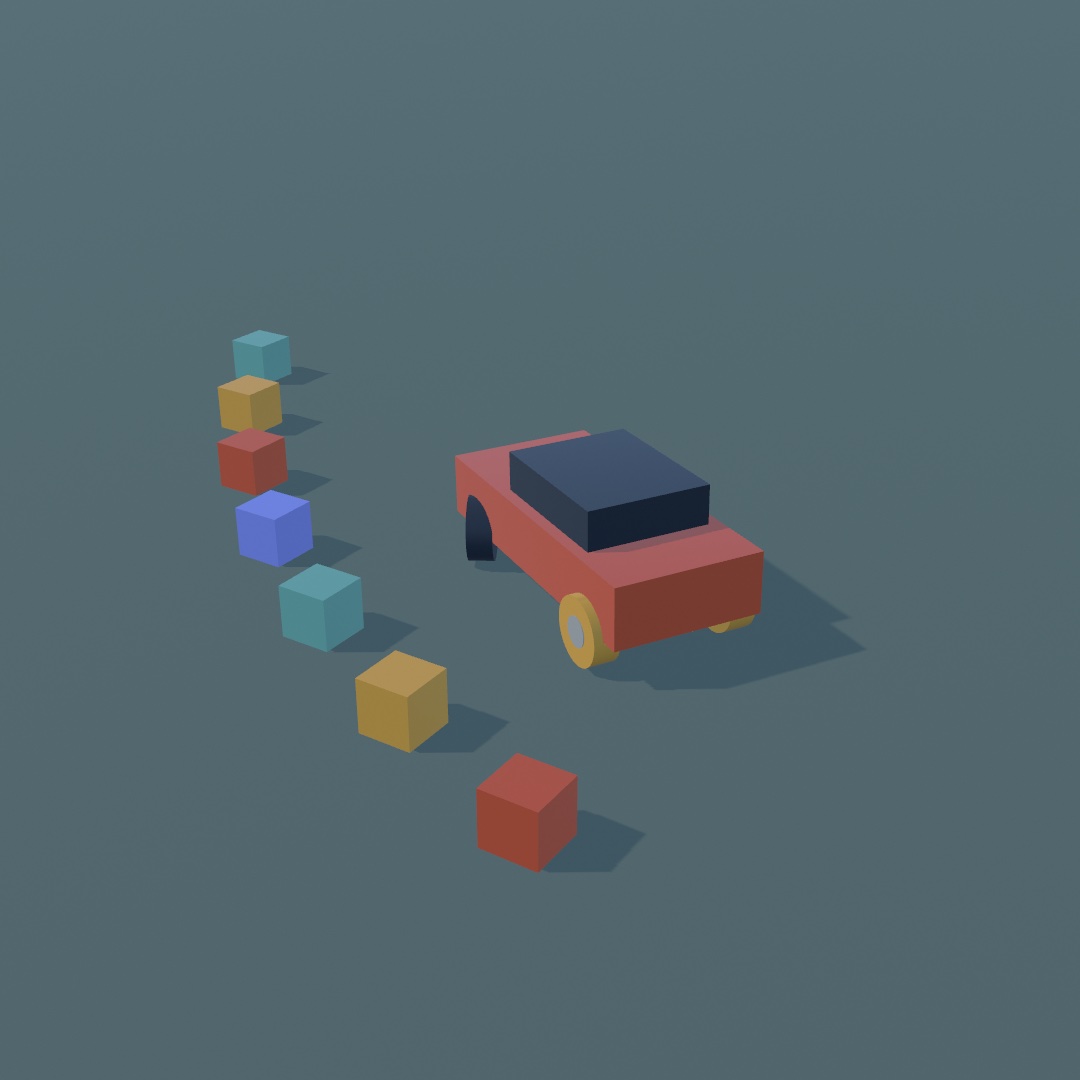
Every add… call that builds something from what it is handed, a vehicle from its wheels, a figure from a scene, a cloth from a mesh, a rope through points, a structure from its struts, throws PhysicsError.unbuildable when it cannot, and the error's text says what it needed. A sketch that keeps the result in an optional writes try? and carries on with nothing added.
let world = World3D()
var car: Vehicle3D!

override func setup() throws {
    world.ground = 0
    car = try world.addVehicle(.box(width: 1.8, height: 0.7, depth: 4),
                           at: Vector3(0, 2, 0),
                           wheels: [
                               .wheel(at: Vector3( 0.9, -0.15,  1.3), steers: true),
                               .wheel(at: Vector3(-0.9, -0.15,  1.3), steers: true),
                               .wheel(at: Vector3( 0.9, -0.15, -1.3), driven: true, handBrake: true),
                               .wheel(at: Vector3(-0.9, -0.15, -1.3), driven: true, handBrake: true),
                           ])
}

override func draw() {
    car.throttle = isKeyDown(.upArrow) ? 1 : (isKeyDown(.downArrow) ? -1 : 0)
    car.steering = (isKeyDown(.rightArrow) ? 1 : 0) - (isKeyDown(.leftArrow) ? 1 : 0)
    car.handBrake = isKeyDown(" ") ? 1 : 0

    world.advance(by: deltaTime)

    withBody(car.body) { drawBox(width: 1.8, height: 0.7, depth: 4) }
    for wheel in car.wheels {
        withWheel(wheel) { drawCylinder(radius: wheel.radius, height: wheel.width) }
    }
}
advance(by:) hands each vehicle's controls to the solver along with everything else, so there is no second update call. The vehicle drives along the chassis's local +z, with +y up, so model whatever you draw facing that way. Positive steering turns it to its own right.
The chassis is an ordinary Body3D. car.body collides, takes impulses, reports contacts, and sits in world.bodies like anything else the sketch added. What makes it a vehicle is the constraint on top, which owns the wheels. Its weight is mass, 1500 kg by default, rather than a weight worked out from the shape's volume. Its center of mass also drops to the height of the wheel mounts. That is what stops a car rolling over the first time it turns hard.
The controls
throttle | The gas pedal, -1…1. Positive drives forward, negative reverses. |
steering | Where the wheels point, -1 hard left … 1 hard right. |
brake | The brake pedal, 0…1. It slows every wheel that has brakeTorque. |
handBrake | 0…1. It locks only the wheels with handBrakeTorque, which is what makes the back step out. |
All four hold until you change them, so set them every frame. drive(throttle:steering:brake:) sets three of them at once, and coast() lifts everything off.
Asking for the other direction while the vehicle is still rolling brakes first. The vehicle takes the new direction only once it has stopped, which is how a car with an automatic gearbox behaves. Press back at speed and you get the brakes. Press it again from a standstill and you reverse.
The wheels
A Wheel3D says where a wheel is bolted on and what it does. You build the wheels and hand them over, and afterwards the same objects report where each wheel actually ended up:
let front = Wheel3D.wheel(at: Vector3(0.9, -0.15, 1.3), radius: 0.35, steers: true)
front.suspensionFrequency = 2.2       // a stiffer spring
front.grip = 0.4                      // and a slick tire
position | Where the suspension is bolted to the chassis, in its local space. The wheel hangs suspensionLength below this. |
radius / width | The tire. width is also the height of the cylinder you draw for it. |
steers | Whether steering turns it, up to maxSteerAngle (30° by default). |
driven | Whether the engine turns it. |
suspensionLength / suspensionTravel | How far the wheel hangs with nothing pressing on it, and how much further up it can be pushed before the chassis takes the hit. |
suspensionFrequency / suspensionDamping | The spring, in the same hertz-and-ratio pair a joint's drive(to:frequency:damping:) takes. Around 1.5 Hz is a road car, 3 and up feels every stone. |
brakeTorque / handBrakeTorque | How hard each brake bites on this wheel, in newton-meters. Leave handBrakeTorque at zero on the front pair. |
grip | Scales the tire's own friction, where 1 is normal and lower is slick. The ground's friction combines with it, so slippery ground still slides a grippy tire. |
casterAngle | How far the fork is raked back. A car leaves it at 0, and a two-wheeler needs a real rake (see below). |
Wheels level with each other along the vehicle share an axle, worked out from where they sit rather than from the order you listed them. The engine turns an axle that has any driven wheel on it, so marking one of a pair marks its pair too. A lone wheel, such as each of a two-wheeler's, is an axle by itself. Each full pair is also tied by an anti-roll bar, which is what keeps the vehicle flat through a corner. That bar is antiRollStiffness, 1000 N/m by default, and 0 unties the pair.
Everything on a wheel can be changed while the vehicle drives. A slider on the springs or the grip is felt on the next step. driven belongs to the gearbox rather than to the wheel, so it is the one change that costs something. Changing it rebuilds the drive on the next step and re-gears it against whatever is now driven. Set the whole list, then step, then read the flags back to see what the drivetrain settled on:
for wheel in car.wheels { wheel.isDriven = wheel.position.z > 0 }   // front drive
world.advance(by: deltaTime)
The engine
Two numbers stand in for the whole drivetrain:
engineTorque(500 N·m by default) is how hard the engine pulls. More of it spins the wheels sooner rather than accelerating the vehicle harder, because grip sets the limit, not power.topSpeed(30 units/s) is the gearing. Top gear at the engine's redline turns the driven wheels this fast. So it is a limit the vehicle approaches on a flat straight, rather than a speed it is guaranteed. Winding it down gears the vehicle for pull instead of pace.
Both can be changed while driving. The gearbox shifts itself, and gear reads which one it picked: -1 reverse, 0 neutral, 1 first, and up from there. rpm reads how fast the engine is turning, which is what you drive an engine sound from, and clutch how far the clutch is engaged, 0 slipping to 1 locked, which dips through a change and while pulling away. Each wheel's own spinRate is how fast it is turning, in radians a second.
Reading it back
speed | How fast it is traveling along its own forward axis. Negative in reverse. |
forward / up | The chassis's axes in world space. A chase camera wants forward, and up tips as the vehicle leans. |
isOnGround | Whether any wheel is touching. false means nothing the driver does will change anything. |
wheel.center | Where the wheel is now, suspension travel included. |
wheel.rollAngle / wheel.steerAngle | How far it has rolled and how far it is turned. |
wheel.isOnGround / wheel.groundBody / wheel.groundNormal | What that tire is on. |
wheel.suspensionCompression | 0 fully extended … 1 bottomed out. Watch a car squat under power and dive under braking. |
wheel.slip / wheel.slipAngle | How much the tire is sliding along itself and across itself. Color a wheel by slip and a spinning one lights up. |
withWheel(_:) moves the 3D transform stack to a wheel's pose, steering and spin included, the way withBody(_:) does for a body. A tire modeled as a cylinder along +y then lands correctly.
Two more parameters sit on the vehicle itself. maxTilt caps how far the chassis may lean from upright. It is nil by default, so the chassis rolls over like anything else. A value around .pi / 3 keeps a car on its wheels over rough ground. wheelContact picks how the wheels find the ground.
.cylinder, the default, sweeps the tire's real footprint and is the steadiest over terrain..sphererounds off edges..rayis a single cheap ray that can drop a narrow wheel into a gap it should have rolled over.
Two wheels
A two-wheeler is the same call with balances: true, which adds the controller that holds it up and leans it into turns. It needs one thing a car does not, which is a real casterAngle on the front wheel. The trail that comes with a raked fork is what lets it hold a line instead of falling over at the first correction.
let front = Wheel3D.wheel(at: Vector3(0, -0.27, 0.75), radius: 0.31,
                          width: 0.05, steers: true)
front.casterAngle = .degrees(30)
let back = Wheel3D.wheel(at: Vector3(0, -0.27, -0.75), radius: 0.31,
                         width: 0.05, driven: true)
let bike = try world.addVehicle(.box(width: 0.4, height: 0.6, depth: 0.8),
                            at: Vector3(0, 1, 0), wheels: [front, back],
                            mass: 240, engineTorque: 150, topSpeed: 30,
                            centerOfMass: Vector3(0, -0.3, 0), balances: true)
Running dead straight, even an unbalanced two-wheeler stays up, because nothing tips it. The balancing shows the moment something does tip it. Start it leaned over and it stands back up, and it leans into a corner rather than falling out of it.
The worked example is 3D/Physics/Joyride, a car you drive over an eroded island, with the springs and the grip on live sliders.
Tracks
isTracked: true builds the same machine on two tracks. The wheels become road wheels. They are split into a left band and a right band by which side of the hull they sit on. The three controls mean what they always did:
var wheels: [Wheel3D] = []
for side in [1.3, -1.3] {                       // +x is its left, -x its right
    for i in 0 ..< 5 {
        wheels.append(.wheel(at: Vector3(side, -0.28, -1.8 + Double(i) * 0.9),
                             radius: 0.44, width: 0.6))
    }
}
let crawler = try world.addVehicle(.box(width: 2, height: 0.9, depth: 5.2),
                               at: Vector3(0, 1.2, 0), wheels: wheels,
                               mass: 4200, topSpeed: 9, isTracked: true)
Steering is the one control that reaches the ground differently, because a track has nothing to turn. The number sets how much slower the inside band runs. Half lock stops that band, so the machine turns about its own inside track. Full lock runs it backwards, which spins the machine where it stands. It needs throttle to do any of that, the way a real machine does. The engine turns the bands, so with the engine idle there is nothing to run one band against the other.
crawler.throttle = 1
crawler.steering = 1        // turn on the spot
trackSpeed(.left) and trackSpeed(.right) read how fast each band is running over the ground, in world units per second. They are equal in a straight line, they differ through a turn, and they run opposite ways in a pivot. So they are what you scroll a drawn track by. wheels(on:) gives you one band's road wheels, front of the machine first. That is the order a drawing loop walks to lay a track around them.
Most of what a wheel offers means the same thing on a band. These do not:
driven | Marks the sprocket its band is turned at, rather than one of a driven pair. With none marked, each band takes its rearmost wheel. |
brakeTorque | Adds up over a band, so the whole band's brake is the sum of its wheels'. There is no separate hand brake, so handBrake pulls the same one. |
grip | Scales a flat pair of friction coefficients rather than a tire's slip curves. This is why a track keeps pulling while it slides, and what lets one climb a bank that would leave a wheel spinning. |
steers / maxSteerAngle / casterAngle | Inert. A road wheel never turns, and steerAngle always reads zero. |
slip / slipAngle | Always zero. A road wheel only ever turns as fast as the band it rolls on, so it has no slip of its own to report. |
Everything else works exactly as it does on a wheel, the suspension especially. A tracked machine takes maxTilt, wheelContact, engineTorque, and topSpeed unchanged. It cannot also balance, because a machine on tracks does not lean.
The worked example is 3D/Physics/Crawler, a crawler working a quarry, with its bands drawn as links that scroll at the speed the solver reports.
Ragdolls
A Ragdoll3D gives a skinned figure weight. Hand addRagdoll(from:) a loaded Scene that has a skin. It reads the skeleton, builds one rigid body for each joint, and sizes each body from the part of the mesh that joint actually moves. Stepping the world then answers a question the animation cannot answer: where the limbs end up when the world has a say.
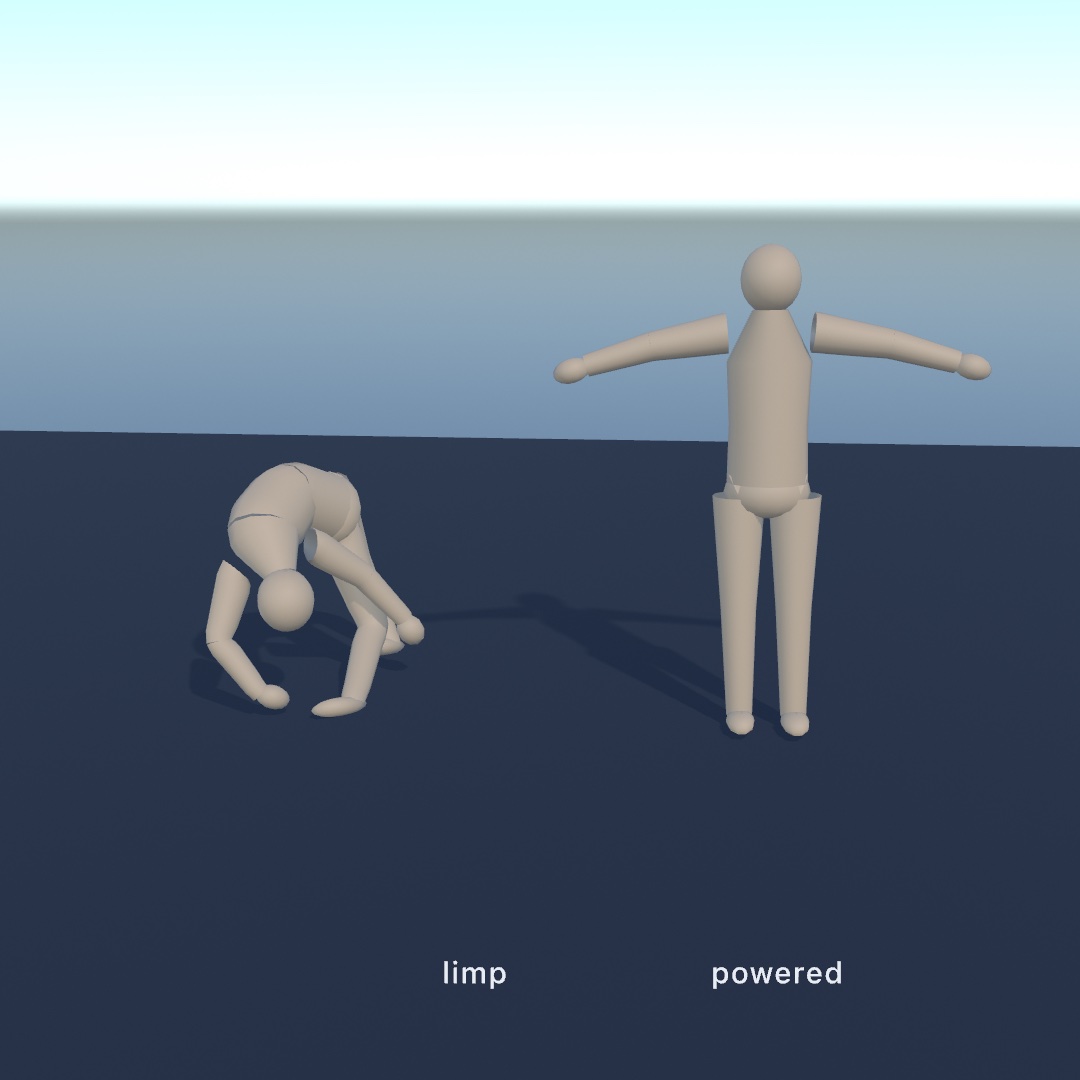
var figure: Scene!
var ragdoll: Ragdoll3D!

override func setup() throws {
    figure = try loadScene("figure.gltf")
    world.ground = 0
    ragdoll = try world.addRagdoll(from: figure, at: Vector3(0, 3, 0))
}

override func draw() {
    world.advance(by: deltaTime)
    figure.apply(ragdoll)     // the pose the solver just found
    drawScene(figure)
}
scene.apply(ragdoll) is apply(_:at:) run backwards. The simulated bodies pose the joints, instead of a keyframe track posing them. It is exact, because each limb's body stands at its joint rather than in the middle of the bone. Writing the pose back therefore has nothing to undo. Everything downstream works as it always did, including skinning, morph targets, per-material parts, materials, shadows, and export.
The figure simulates in world space. Draw the scene without a transform of your own if you want it to land where the bodies are.
What the fit finds. The shape of each limb comes from the mesh rather than from bone lengths. The vertices a joint pulls hardest on are gathered in that joint's own frame, and a capsule is fitted along the direction they spread. A torso comes out thick and a forearm thin, even though the two bones are a similar length. ragdoll.limbs reports what it found: name, body, parent, collider, and where the shape sits inside the body, as shapeCenter, shapeAxis, and shapeAngle. withLimb(_:) poses the transform stack onto a limb's fitted shape, so you can draw the capsules beside the skin:
for limb in ragdoll.limbs {
    withLimb(limb) {
        if case .capsule(let height, let radius) = limb.collider {
            drawCapsule(radius: radius, height: height)
        }
    }
}
Limp or powered. Left alone, the joints have limits and nothing else, which is the figure that falls downstairs. drive(toward:) gives it some strength back. It puts a motor on every joint, and each motor pulls toward the pose a scene is currently holding:
target.apply(walk, at: time)          // where the animation wants the limbs
ragdoll.drive(toward: target, strength: effort)
world.advance(by: deltaTime)
figure.apply(ragdoll)                 // where they actually ended up
Keep the target scene and the drawn scene apart. A Scene is a value type, so a second copy is one assignment. A figure driven toward the scene it was just posed from has nowhere to pull. Set the pose it is chasing again each frame.
strength is the most torque a joint may use, in newton-meters, and it is the parameter that carries the expression. Set it high and the figure will not be moved. Set it low and heavy limbs sag out of the pose, which is how a figure reads as tired rather than switched off. goLimp() cuts the power. pose(from:) puts every limb back where a scene has it, which is how you stand a figure up again.
Nothing drives the root, so a powered figure still falls as a whole. The motors hold its shape rather than its place. To keep one on its feet, make the root limb kinematic with ragdoll.limbs[0].body.kind = .kinematic, and the figure hangs from its hips like a puppet. Setting ragdoll.kind = .kinematic instead makes the whole figure follow the driven pose exactly, and it shoves whatever is in its way.
Limits and joints. Every joint is a .swingTwist. It opens at the swing and twist the call was given, and you can retune one joint at a time while the figure hangs:
try world.addRagdoll(from: figure, swing: .degrees(50), twist: -0.3...0.3)
ragdoll.limit("forearmL", swing: .degrees(10))     // an elbow, not a shoulder
A dense rig, such as a hand with twenty finger bones, does not need twenty bodies. Name the joints that should get one. The rest move rigidly with the nearest limb above them, keeping their pose and their share of the flesh:
try world.addRagdoll(from: figure,
                 joints: ["hips", "spine", "chest", "head",
                          "armL", "forearmL", "armR", "forearmR",
                          "legL", "shinL", "legR", "shinR"])
Among the other bodies. A ragdoll's limbs are ordinary bodies. They collide, they turn up in world.contacts, and they can be picked and dragged with grabBody(at:in:). They are kept out of world.bodies, because a sketch draws the figure's mesh rather than the capsules under it, and ragdoll.bodies is the list instead. Each figure carries its own filter, apart from its collision group. So a limb never fights the limb it hangs off, while two figures collide normally. A thigh sits inside the pelvis, and the two simply ignore each other. applyImpulse(_:) shoves the whole figure at once, and world.remove(ragdoll) takes it and its limbs away together.
The worked example is 3D/Physics/Ragdoll. The figure stands and waves while its joints are powered, collapses when they are not, and can be dragged around by an arm either way.
Soft bodies
Everything above moves as one rigid piece. A SoftBody3D does not. Its state lives in its vertices, which are simulated particles held together by springs. So it drapes, folds, and squashes, instead of arriving somewhere else with the shape it started in. Cloth and a beach ball are the two ends of the same idea.
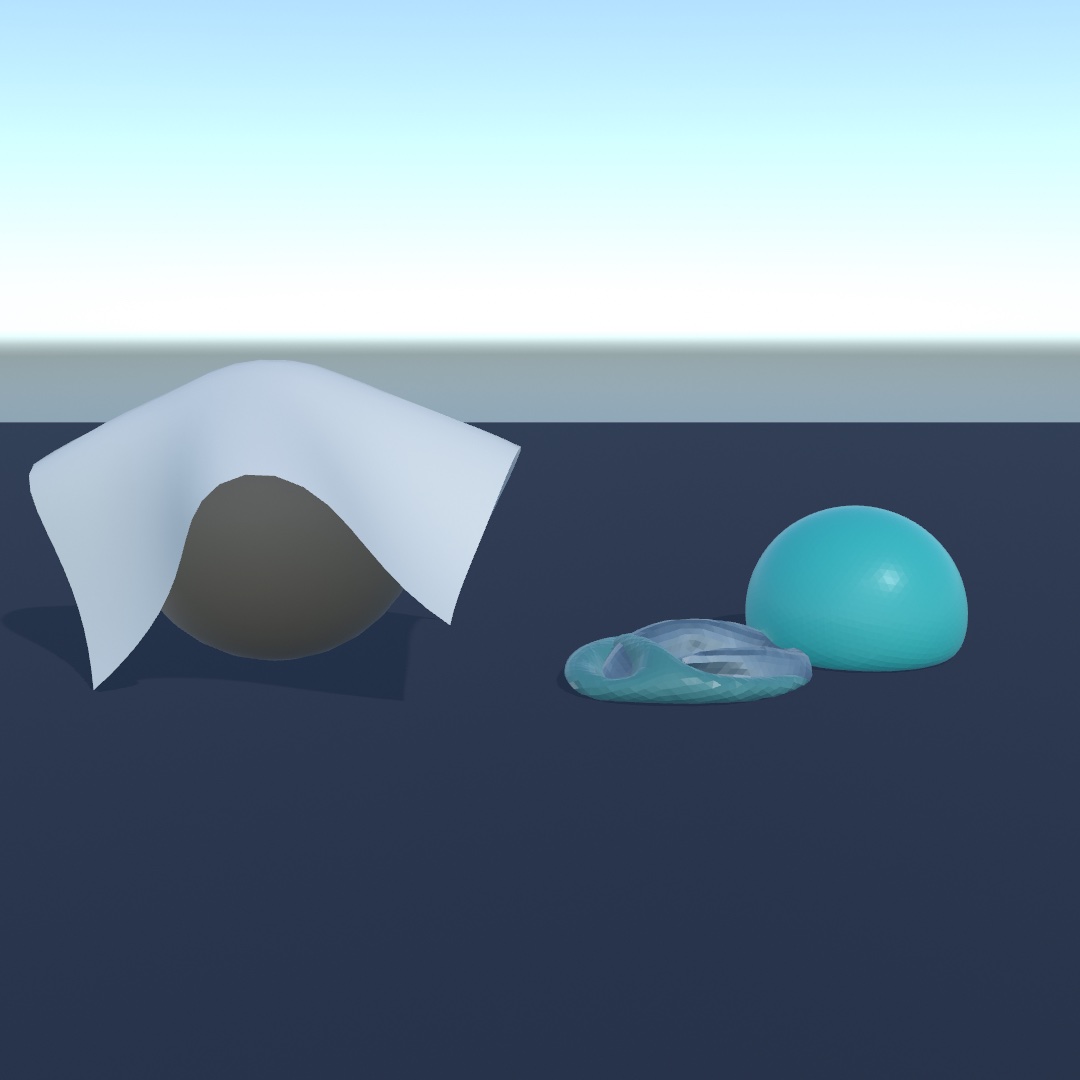
Build one from any Mesh:
let cloth = try world.addSoftBody(from: .plane(width: 3, depth: 3, segments: 24),
                              at: Vector3(0, 3, 0),
                              pinned: { $0.z < -1.4 })   // hung from one edge

// each frame:
world.advance(by: deltaTime)
fill(.crimson)
drawSoftBody(cloth)
drawSoftBody(_:) draws softBody.mesh, which is the source mesh with the simulation's positions and freshly derived normals. Everything else the mesh carried comes through untouched, so a textured sheet stays textured while it moves. Every renderer feature applies exactly as it does to any other mesh, including materials, shadows, reflections, and export.
Coincident vertices merge into shared particles. Ollin's mesh generators are flat shaded. Every triangle carries its own copies of its corners, so a generator mesh's triangles share no vertex index at all. addSoftBody welds by position first, so a Mesh.box becomes eight particles rather than twenty-four loose ones. particleCount reports what the simulation actually runs on. positions still comes back one per source vertex, in the source mesh's order.
Pinning is how a cloth is hung. The pinned: closure is handed each vertex of the mesh, in the mesh's own local space. It returns whether that particle is held in place. You can also move pins afterwards:
cloth.pin(index)          // hold this vertex where it is
cloth.unpin(index)        // hand it back to the simulation
cloth.isPinned(index)
cloth.move(index, to: point)   // carry it to a world point over this frame
move(_:to:) pins the particle if it was free, and it drives the particle there by velocity. The sheet hanging off it is then dragged along rather than snapped. nearestVertex(to:) finds the vertex nearest a world point.
The parameters. All of them are scale-free, so the same number means the same thing on a handkerchief and on a marquee.
mass | the whole body's weight in kilograms, split evenly between the particles |
stiffness | resistance to stretching, 0 slack to 1 inextensible (the default) |
bend | resistance to folding, 0 limp like fabric (the default) to 1 stiff like card |
pressure | the gas inside a closed surface, in gravities of outward push |
damping | how quickly particle motion bleeds away |
friction, restitution | the surface against what it lands on |
iterations | solver passes per step, and more is stiffer and steadier |
vertexRadius | how far a particle's own body reaches past its position |
stiffness and bend are two different things. A bedsheet barely stretches at all and folds freely, which is stiffness: 1, bend: 0. pressure needs a closed surface to fill, so it does nothing on a sheet. isClosed reports which of the two you have. An open surface ignores pressure, with a note when addSoftBody was handed one. A pressure of 1 just holds the body's own weight up, and 2 to 4 reads as a firm ball that still dents. pressure, iterations, and vertexRadius are all live, so a ball can deflate while you watch.
A pressurised shape with corners needs bend. Gas pushes on every face at once, and nothing in a limp surface holds an authored angle. So a soft cube at bend: 0 inflates into a pillow. Measured on a 1-unit cube, pressure alone leaves it holding a fifth more volume than it was built with. The higher the pressure, the rounder it gets. bend: 1 brings it back to within a few percent of the shape you handed over. Round shapes do not show this, because round is what pressure is already trying to make. So use bend: 0 for anything meant to read as a bag or a balloon. Use bend up near 1 for anything meant to keep its own flat faces.
Pushing one about. Impulses, joints, and grabs do not apply to a soft body. It has no single pose or velocity for them to act on. What works is applyForce(_:), which is spread evenly over the particles. That is how you apply wind:
banner.applyForce(Vector3(0, 0, gust))Taking hold of one is the soft-body version of grabBody and dragGrab. It works by pinning the particle under the cursor rather than by adding a joint:
var grip: SoftGrip?

override func mousePressed() {
    grip = grabSoftBody(at: Vector2(mouseX, mouseY), in: world)
}
override func mouseReleased() {
    if let grip { releaseSoftGrip(grip) }
    grip = nil
}
// in draw(), before world.advance(by:):
if let grip { dragSoftGrip(grip, to: Vector2(mouseX, mouseY)) }
A soft body is part of the world, not a thing draped over it, so the rest of this page applies to one:
- It turns up in
world.contacts. A cloth landing on a crate reports abeganwith a point and an approach speed. It reports anendedwhen it comes off, exactly like anything else.cloth.touching,.contacts,.arrivals, and.departuresread the same lists a body's do, and a sensor sees a cloth sail into it. Two details are its own. A soft body has no single velocity at the moment its first particle lands, sospeedis the speed the whole surface arrived at. A settled pile of crates drops its touches when it falls asleep, while a settled cloth keeps its list. The solver stops asking a sleeping soft body what it is against, which is not the same as the cloth having let go. - It floats. Water pushes each of its particles up on its own, and each particle floats on the surface directly above it. A raft therefore follows the shape of a swell rather than one flat plane through its middle. How high it floats is decided by
density, measured against the water's density the same way a collider's is. A closed surface works its own density out from the mass and the volume it holds, so a beach ball just floats. A sheet holds no volume to work one out from, so it starts as heavy as water and lies awash. One line makes it a raft:
raft.density = 0.3 // floats high; above 1 it sinksA sheet's area for its weight is enormous, which is exactly what drag measures. So a cloth heavier than water sinks slowly, and a floating one is carried along by a current rather than left behind by it.
- A query can find it.
raycast,sweep, and the overlap calls all see soft bodies. A hanging sheet blocks a sightline, and aHit3Dmay name aSoftBody3D. To look through one, name it inignoring:, or put it in a collision group the query does not ask as.
What a soft body still cannot do. The solver collides soft bodies with the rigid bodies around them. It does not collide them with each other, and it does not collide one with itself. So a sheet folded double passes through its own layers, which reads as a flicker where the two lie together. Impulses, joints, and grabs do not reach a soft body, and body(under:in:) answers only for solids, so use grabSoftBody(at:in:) there. Tearing is not offered either. A real tear has to split a shared vertex in two and rebuild the surface, which the solver cannot do while it runs.
A soft body is a surface rather than a filled solid, and pressure is what makes it read as full. There is no separate jelly model holding the space inside it, and that is a measured choice rather than a missing feature. A pressurised body already holds a weight without squashing, comes back from a dent perfectly, and costs nothing extra. Filling one with tetrahedra costs half again as many particles, and it comes back from a hard squash permanently out of shape. The reasoning and the numbers are in ARCHITECTURE.md.
The worked examples are 3D/Physics/Drape and 3D/Physics/Raft. Drape has a banner pegged to a washing line that flaps in a gusting wind. It also has a sheet thrown over a crate, and a beach ball you can let the air out of. Raft has a cloth raft floating on a swell with cargo on it. There is also a sounding line that stops at its deck, and a harbor gate that reports it sailing through.
Ropes
A soft body's shape is usually a surface. A rope's shape is a curve, and the difference is more than one dimension. A rope is built from rigid rods rather than springs, and every rod holds an orientation of its own. That is what lets other geometry travel along it.
Build one from a polyline. Anything that makes points makes a rope. You can hand it points you placed yourself, a sampled Path, a Contour, a randomWalk, or a ridge off a Heightfield:
let rope = try world.addRope(through: (0 ..< 40).map { Vector3(0, -Double($0) * 0.1, 0) },
                         at: Vector3(0, 3, 0),
                         radius: 0.04,
                         pinned: { $0.y > -0.001 })       // hung from the top

// each frame:
world.advance(by: deltaTime)
drawSoftBody(rope)                                        // a tube along the rope
The points are the particles one for one, so pin(_:), move(_:to:), positions, and nearestVertex(to:) all speak in indices into the polyline you handed over. The rope reports itself as a Rope3D: segmentCount rods, one fewer than its points, its radius, how many sides the drawn tube carries, and the restLength it was built to be, which is what a stretched rope is measured against. drawSoftBody(_:) sweeps a tube of radius along it, which is also how far the rope stands off whatever it lies on.
Two parameters shape it, both scale-free. One setting means the same thing on a twig and on a mooring line.
stiffnessis how much the rope resists being stretched.1is a steel cable, measured on a rope hung under its own weight at about 1% longer than its rest length.0.5lets it stretch by nearly a third, and at0.2it has doubled, which is a bungee.bendis how much it resists being bent and twisted, and it is the one that decides what the rope is.0is limp rope. Around0.5a cantilevered length droops about a third of its own length, which reads as heavy cable. Near1it holds itself out like a stem or a branch.
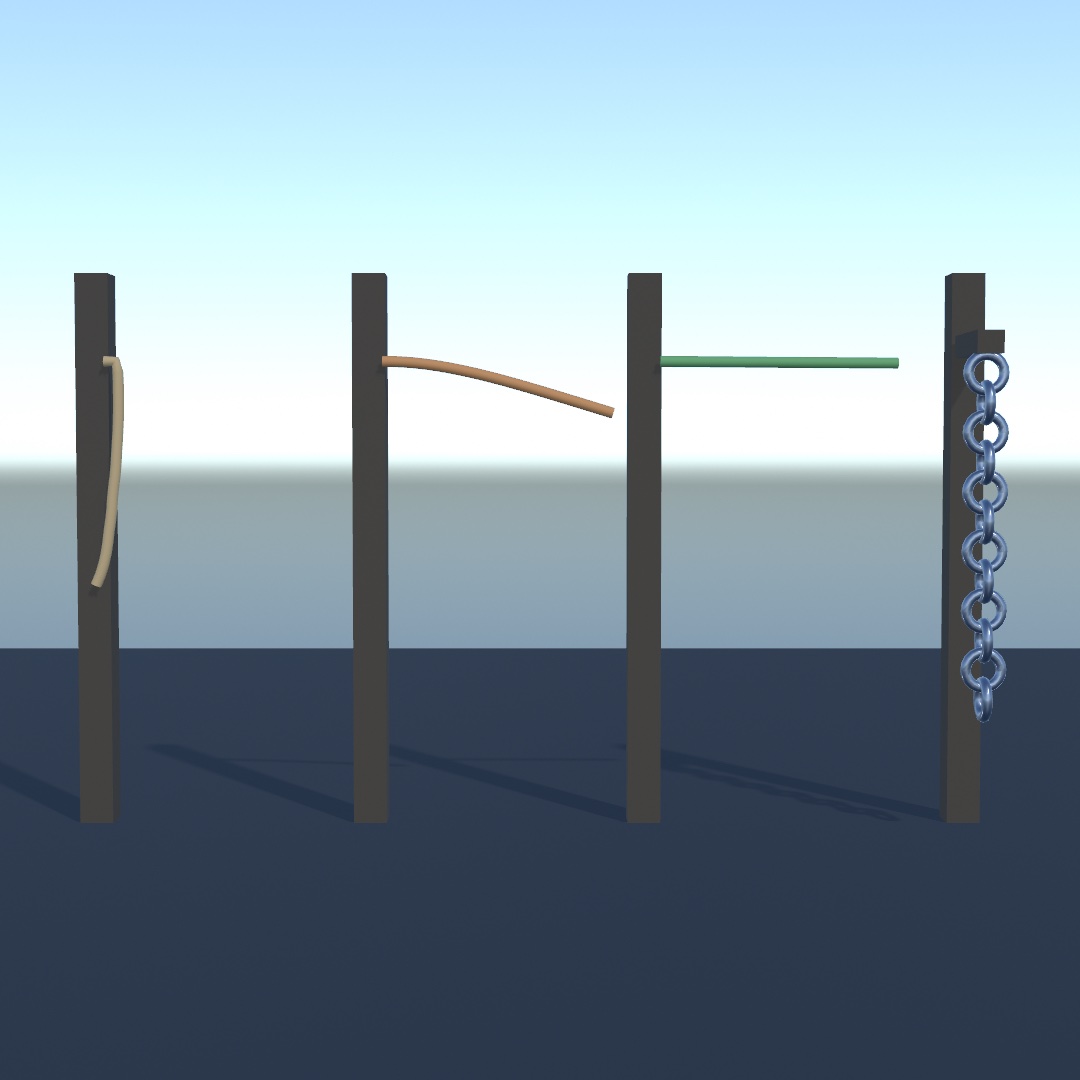
A long, finely divided rope is the case where iterations matters. Stiffness spreads one rod per solver pass, so forty particles over six units needs about twenty passes before bend: 1 is really rigid. Twenty particles is stiff at the default five.
maxStretch: works here exactly as it does on cloth, and it is worth having on anything hung. It caps how far the rope may get from what holds it, measured along its own length. A heavy rope then stops creeping longer under load.
let chain = try world.addRope(through: links, at: Vector3(0, 3, 0),
                          mass: 4, bend: 0.06,
                          pinned: { $0.y > -0.001 },
                          maxStretch: 1)                  // does not stretch at all
Things attached to a rope
rope.segments is the rope read as rods rather than points. Each RopeSegment3D carries its start and end, its center, direction, and length. It also carries a rotation, held by the rod itself, which turns as the rope bends and twists. A chain of springs could not give you that.
withSegment(_:) stands the transform stack in the middle of a segment with +y running along the rope. That is the axis Ollin's cylinders, capsules, and cones stand on. A primitive drawn inside the block lies along the rope with no turning of its own. It is the segment's version of withBody(_:):
for segment in vine.segments where segment.index % 3 == 1 {
    withSegment(segment) {
        translate(0.11, 0, 0)
        drawSphere(radius: 0.06)          // a leaf, carried and twisted by the stem
    }
}
The clearest use is a chain, where every other link is turned a quarter turn about the rope's own axis. You can only express that turn because each rod knows how it is rolled:
for segment in chain.segments {
    withSegment(segment) {
        rotate(.pi / 2, axis: Vector3(1, 0, 0))       // lay the ring across the rope
        if segment.index.isMultiple(of: 2) {
            rotate(.pi / 2, axis: Vector3(0, 0, 1))   // roll every other link
        }
        drawTorus(radius: segment.length * 0.62, tube: 0.026)
    }
}
The tube drawSoftBody(_:) sweeps uses a twist-free frame of its own, so a rope wound up looks the same as one that is not. The twist lives in segments, which is where anything attached to the rope should read it.
What a rope shares with the rest of the tier. A rope collides with the rigid bodies around it. It turns up in world.contacts and in touching, and it floats according to its density. It takes applyForce(_:) for wind, belongs to a collision group, sleeps when it settles, and is saved and restored by snapshot(). Unlike a surface, it needs no assetName to be saved. A rope's whole rest shape is a handful of points, so it carries itself.
What it cannot do. A rope does not collide with itself, so a coil passes through its own turns. It does not collide with another rope or with cloth either, which is the same limit the rest of the tier has. One thing is particular to a rope. The shape a query asks about is built from a body's faces, and a rope has none. So raycast, sweep, and bodiesOverlapping all look straight through one. grabSoftBody(at:in:) still finds it, by taking the particle nearest the line of sight. A rope is also one strand. There is no branching form, so a plant with several stems is several ropes.
Hair and fur are ropes. There is no separate hair simulation, so a rope is what to use instead. It is the same Cosserat rod maths a hair solver uses, and its parameters reach hair scale. A cantilever of 8 points spaced 25 mm apart droops about a quarter of its span at bend: 0.5. At bend: 0.05 it droops about four fifths of its span. Below roughly 10 mm of spacing, bend stops making much difference, which is the practical floor. The cost to plan around is the count. Each rope is its own body, and World3D(maxBodies:) defaults to 4,096, so a few thousand strands is the working range. Measured on an M2, 2,000 strands of 8 points step in about 3.3 ms, and 4,000 in about 8.6 ms. Past that, simulate a sparse set of strands and draw several interpolated strands around each one, which is how hair is usually drawn anyway.
Tensegrities
A tensegrity is a set of struts that never touch, held apart by cables. addTensegrity builds a Tensegrity in the world: a capsule body per strut, a .cable joint per cable, and a .ball joint wherever two struts share a node. Set it down a little above the floor and it lands on its own cables and stands.
let mast = try world.addTensegrity(Tensegrity.tower(levels: 3), at: Vector3(0, 0.3, 0),
                               prestress: 0.02)          // cables 2% shorter than drawn
// each frame:
world.advance(by: deltaTime)
drawTensegrity(mast)
prestress tightens every cable by a fraction, the way a real one is tensioned after assembly. With none, a landing can leave a cable loose. stiffness below 1 lets the cables stretch. The struts are ordinary bodies, so dragBodies(in:) picks them up and contacts names them. The returned Tensegrity3D reads nodes, cableLengths, isSlack(_:), center, top, and bottom live, and remove(_:) takes the whole structure out. A snapshot carries it and brings it back as one structure. The three ready-made forms, the balanced twist, and imbalance are on the Tensegrity page.
Cloth a figure carries
pinned: holds part of a surface still. A cape needs something else. Part of it is held to a figure that is moving, and the rest hangs off that part and swings. Say which joint of a skinned scene's skeleton carries each part of the cloth, and hand the simulation this frame's pose:
cape = try world.addSoftBody(from: sheet, at: Vector3(0, 0.85, -0.13),
                         rotated: .pi / 2, axis: Vector3(1, 0, 0),
                         mass: 1.2, stiffness: 0.92,
                         pinned: { $0.z < -0.58 },        // clasped at the neck
                         skinnedTo: figure,
                         carriedBy: { _ in "chest" })

// each frame, after the figure is posed and before the world steps:
figure.apply(ragdoll)
cape.follow(figure)
world.advance(by: deltaTime)
The pose the figure is standing in when you build the cloth is the bind pose. Nothing has to be authored in a modeling tool, and no weights have to be painted. Hang the cloth where it belongs and name the joints, and every later pose is read as the motion since then. carriedBy: is given a vertex in the mesh's own space, which is the same space pinned: reads. It answers with a joint's name, or nil for a part that is ordinary cloth. A name the skeleton does not have is skipped with a note. A typo therefore leaves that part hanging free, rather than silently doing something else.
pinned: means held by whatever holds it. A pinned vertex that a joint carries is held to the figure. A pinned vertex that no joint carries is held to the world, which is what it has always meant. So the same closure clasps a cape at the neck and pegs a banner to a line.
Three more numbers shape what the rest of the cloth may do. All three are lengths in world units rather than ratios you have to calibrate:
sway:is how far a vertex may travel from where the skeleton puts it, and you give it the same way you givepinned:.0holds the vertex exactly there, and.infinity, the default, leaves it free to swing. A leash of0.05really does hold every particle within 5 cm of its skinned position. Grade it tight at the shoulders and loose at the hem, and that is what tells a mantle apart from a cloak. Watch the sign if you compute a value, because a negative one clamps to0and hard-skins that part into a board.backStop:is how far behind the carried surface a particle may be pushed before it is held back out. It keeps a cape out of the back it hangs on without waiting for a collision.0.04is a few centimeters of clearance. Behind means toward what carries the surface, whichever way its mesh is wound, so a cape hung with its plane turned either way is held off the figure the same.maxStretch:caps how far any particle may get from what holds it, as a multiple of the distance measured along the cloth.1is inextensible,1.05allows 5%, andnil, the default, leaves the job to the springs. This one is worth knowing about even for cloth that no skeleton carries. A heavy sheet hung from one edge stretches under its own weight however stiff you make it, and a cap fixes that for almost nothing. Measured on a 2-unit sheet weighing 8 kg, the springs alone let it hang 6% long.maxStretch: 1hangs it at exactly its own length.
Two parameters work while the sketch runs. swayScale multiplies every leash at once, so one slider lets a whole cape out. followsSkin turns the leashes off entirely, and only the parts held exactly on the skin keep following. That is how you let a cape go loose without rebuilding it.
A soft body keeps the sourceMesh it was built from, unchanged in its own local space (a rope was built from a polyline instead, so its is empty and Rope3D.points is what it was made from), and isSkinned says whether a skeleton carries any of that surface, which is what makes follow(_:) mean anything. particlePositions and particleVelocities are the simulated particles themselves, shorter than positions wherever the source mesh had coincident vertices.
Call follow(_:) before advance(by:), once a frame. The solver eases the cloth from the previous pose to this one across the step. A second call in the same frame loses that easing, and a call after the step leaves the cloth a frame behind. snap(to:) is the other call. It puts every carried particle exactly where the skeleton says, and stops it dead. That is what you need for a figure that was stood somewhere rather than moved there. The cloth then arrives with the figure instead of being dragged across the room.
A carried cape is otherwise an ordinary soft body. It collides with the rigid world, floats, turns up in world.contacts, can be grabbed, and is saved in a snapshot once it has an assetName. A snapshot writes down what the closures decided, because it cannot carry the closures themselves. Its own gap is the one every soft body has. A cape does not collide with itself, so it passes through its own folds and through any other cloth on the same figure.
The worked example is 3D/Physics/Cape, a figure striding with a cape clasped at the neck, which collapses with it when the figure goes limp.
Water
A world can have water the same way it has ground. It is one property, and nothing has to opt in.
world.water = Water(level: 0)Everything already in the world starts floating. What floats and what does not comes from the density each body was built with, measured against the water's density. So it is a number you were already setting:
world.addBody(.box(width: 1, height: 1, depth: 1), at: Vector3(0, 4, 0),
              density: 0.3)   // a cork: floats with a third of it under
world.addBody(.box(width: 1, height: 1, depth: 1), at: Vector3(2, 4, 0),
              density: 3)     // a stone: goes to the bottom
The waterline is not something you tune. A body of density d settles with fraction d of itself submerged. That is the volume it has to displace to hold its own weight up. A barrel at 0.5 floats half under, and one at 0.8 floats low with a fifth of it dry. Water.density is the same relative scale bodies use, where 1 is water. Raising it to 1.3 for brine floats every one of them higher, without changing anything on the bodies.
The parameters.
level | the height of the still surface. Animate it for a tide, and bodies asleep at the old level wake and follow. |
density | how heavy the water is, 1 being water and the default body material. |
linearDrag | how hard it resists a body dragged through it. This is what makes something dropped in settle rather than bob for ages. |
angularDrag | the same for turning, which is what stops a long shape rocking too long after it lands. |
flow | a current, in units per second, that carries everything afloat along. |
waves | a rolling swell, or nil for a flat calm. |
Drag is worth a moment, because it is the difference between water and a trampoline. With linearDrag: 0, a crate dropped in bounces about its waterline and loses only the world's drag. The default 0.5 reads like water, so the crate dips, comes back up, and settles within a second or two.
A swell. Water.Waves gives the surface a shape, and it carries whatever is floating on it:
world.water = Water(level: 0, waves: Water.Waves(amplitude: 0.25,
                                                 wavelength: 8, speed: 1.5))
You can draw the same surface, which is what waterMesh is for. It hands back the surface the bodies are floating on, so the swell you see and the swell they float on cannot drift apart.
if let surface = world.waterMesh(extent: 40) {
    fill(Color(hex: 0x2C7C96))
    material(.dielectric(roughness: 0.3))
    drawMesh(surface)
}
waterHeight(at:) asks the same question for a single point, which is what you use to sit something exactly on the waterline. Both read the surface as it stands this frame. world.waterPhase is the clock behind it, for a shader that needs to move in step.
Floating higher than it should. Body3D.buoyancyScale multiplies what the water would otherwise do to one body. 1 is what its density says, 2 floats it as though it were half as heavy, and 0 sinks it whatever it is made of. Use density first, and keep this for the one crate that has to bob higher than the rest.
Cloth floats too. A soft body is floated particle by particle. It has neither the single mass nor the single shape the rigid path works from. Each particle floats on the surface directly above it, rather than a flat plane through the body's middle. A raft therefore follows the swell instead of being curled by it. Its own density decides how high it floats. A closed surface derives a density from mass and volume, so a beach ball just floats. A sheet holds no volume to derive one from and starts at 1, so raft.density = 0.3 is what turns a sail into a raft. Drag bites much harder on cloth than on a crate, because a sheet's area for its weight is enormous. A heavy sheet sinks slowly, and a floating one is carried by a current rather than left behind by it.
What the water leaves alone. Sensors, static and kinematic bodies, and a character's capsule are not floated. A detector volume and a walking figure go where the sketch puts them, rather than where the water would put them. The water itself is an ocean rather than a pool. Everything below level is water, out to the horizon. So a container of water needs its own walls built from static bodies, which is all a harbor is.
One thing about sleeping is worth knowing. A floating body settles at its waterline and then goes to sleep, which is what you want. It stops costing anything and holds its level exactly. If you move the water afterwards, by changing the level or any other setting, everything afloat is woken so it can follow. A swell wakes only what it actually washes over. A stone that has sunk to the bottom therefore stays asleep under a rolling sea.
The worked examples are 3D/Physics/Flotsam and 3D/Physics/Raft. Flotsam has crates from cork to nearly waterlogged, each floating on a swell at its own depth. There is a stone anchor on the bottom, and a current carrying the lot past. Raft is the same idea with a cloth as the thing afloat. You can drag either one about.
Saving and loading
Some arrangements are worth keeping. A heap of stones may take four hundred steps to settle. A stack may be knocked into a shape you liked, or you may spend a minute nudging a scene into place by hand. None of that can be written down as code, and running the simulation again does not give it back. snapshot() captures the whole world as it stands, and restore(_:) puts it back:
let settled = world.snapshot()      // after the pile has come to rest
// …knock it over, rummage through it…
try world.restore(settled)              // exactly the pile you had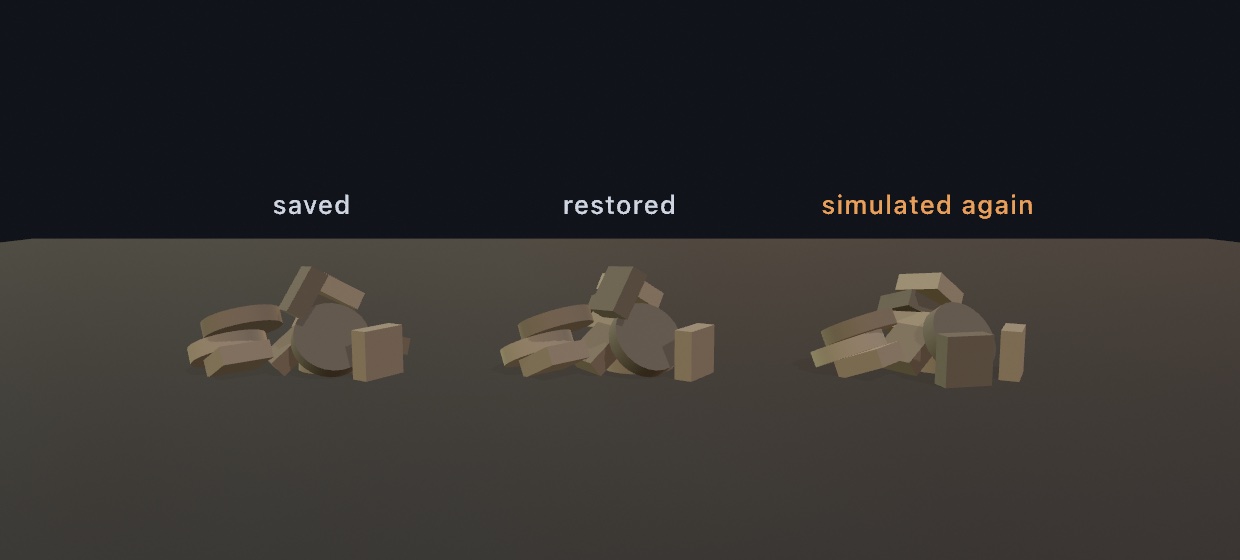
A PhysicsSnapshot is a value you can hold, hand around, and write to a file:
try world.save(to: url)             // = try world.snapshot().write(to: url)
try world.load(contentsOf: url)     // throws, and the world is untouched, if it can't be read
That is how a settled arrangement becomes an asset the sketch opens with:
override func setup() throws {
    world.ground = 0
    do {
        try world.load(contentsOf: file)
    } catch {                                 // nothing there the first time
        buildAndSettleTheHeap()
        try? world.save(to: file)
    }
}
The snapshot's own bodyCount and jointCount say what is in it before anything is restored. PhysicsSnapshot(data:), init(contentsOf:), and init(resource:in:) read one back, and each throws for what it can see: PhysicsSnapshot.Failure.unreadable for bytes that are not a snapshot, .resourceNotFound for a name the bundle does not have, and the system's own error for a file that is not there. restore(_:) and load(contentsOf:) throw the same way, and a snapshot that stops short or does not parse leaves the world already standing untouched. The refusal has one shape whichever door it comes through, so a sketch handles it once. A snapshot's numbers have to be ones a world holds. Each is finite and no larger than a billion units, unitsPerMeter runs from 0.0001 to a million, and every index names something the file carries. Anything else is unreadable, so a damaged or made-up file cannot hand the solver a number it stops on.
Restoring is exact. A restored body is in the same pose, moving at the same speed, and spinning the same way. If it had settled it is still asleep, so a saved heap does not shudder back into shape on the way in. A world stepped on from a restore lands exactly where the one that was never interrupted does. It goes through the ordinary addBody and connect calls, so a restored world is one you could have built by hand. A joint also keeps the zero it was made at. A door saved standing half open is still half open, and it still stops where it used to.
What comes back.
- Every rigid
Body3Dwith its collider, pose, velocity, and every parameteraddBodytakes: kind, sensor, density, friction, restitution, freedom, gravity scale, path checking, group, and buoyancyScale. - Every
Joint3Dbetween them, gears and racks included. - The collision-group table with its rules.
- The world's
gravity,ground,restitution,drag,substeps,maxTimestep,unitsPerMeter, andwater, and which bodies named a bounce of their own rather than taking the world's.
The tiers above a loose body come back too, because none of them holds anything heavier than the shapes a body already writes down:
- Characters come back mid-stride, with the capsule, every parameter
addCharactertakes, where the figure stands, which way it faces, and the velocity it was moving at. - Vehicles come back drivable, and under power. That is the chassis and its collider, every wheel with everything it was tuned to, the gearing, and the live drivetrain. The engine is turning at the speed it was turning, in the gear the box had picked, with the wheels already spinning. Without that last part, a restored machine would have to pull away from rest. You would see that on a machine that was moving when it was saved.
- Ragdolls come back as the fitting they were built from: a shape for each limb, the tree they hang in, how far each joint may bend, and where every limb had reached. The skinned
Sceneis not in the file, and does not need to be. It is the sketch's own asset, still loaded, andscene.apply(ragdoll)writes the restored pose onto it exactly as before. So a figure comes back even in a run that has not read the file it was fitted from.
try world.restore(saved)
// the objects are new ones, so take them from the world again
truck = world.vehicles.first
walker = world.characters.first
figure = world.ragdolls.first
What it costs. A snapshot is self-contained, which is what makes it a file you can commit beside a sketch. It holds geometry the same way, and a .mesh or .heightfield collider is written out whole. So a world that gives a loaded set piece its colliders carries that set piece inside every snapshot of it. The bytes are packed, which costs nothing and is why a settled arrangement is small. A heap of sixty primitives is about a kilobyte. A world carrying a heightfield and two loaded meshes runs to about a megabyte, roughly half the scenery's own weight. A damaged or half-written file is refused rather than half-read. When that size matters, name the scenery instead of holding it, as described below.
What does not come back. A grab is a hand on a body rather than part of the world. Contacts are worked out again by the next advance(by:). Neither of them is saved. Motors are not saved either. drive(at:) and the calls beside it are things a sketch says, usually every frame, so say them again after a restore. A soft body surface is nothing but its mesh. It is saved only when you have given it a name to write down in place of that mesh. A rope carries its own points, so it needs no name.
The bodies are new objects. restore(_:) empties the world first, so any Body3D or Joint3D you were holding is gone. Take them from world.bodies and world.joints again. They come back in the order they were saved in, so an index still names the same body. Each one still knows its own collider, which is usually all a drawing loop needs.
This is also the honest answer about determinism. Simulating is reproducible within one build, but the solver runs in floating point. A toolchain that moves one last bit moves the last bounce, which a toppling stack magnifies into a different heap. A saved arrangement has nothing left to compute, so it comes back the same anywhere. Continuing from a restore is exact for the pose and the motion. The solver's in-flight contact bookkeeping is not carried, so a scene captured mid-collision may drift where a settled one cannot. That covers a vehicle's wheels too, because what a wheel is rolling on is worked out afresh each step. A machine saved parked comes back parked and stays exactly where it was put. One saved at full throttle carries on from the same speed in the same gear, and then it wanders. A stack of crates saved mid-collapse does the same.
Naming geometry rather than holding it
Almost everything in a world is small. A box is three numbers, and a joint is a point and an axis. Two things are not small. A .mesh or .heightfield collider carries every vertex of whatever it was cut from. A soft body surface is built out of a whole mesh, and a snapshot never holds that mesh. Give either one a name, and the snapshot writes the name down instead:
let island = world.addBody(.heightfield(terrain, width: 60, depth: 60, height: 8),
                           at: .zero, kind: .static)
island.assetName = "island"

let banner = try world.addSoftBody(from: sheet, at: Vector3(0, 3, 0))
banner.assetName = "banner"
Then say what the names mean when the world comes back:
try world.restore(saved) { name in
    switch name {
    case "island": return .heightfield(terrain)
    case "banner": return .mesh(sheet)
    default:       return nil
    }
}
load(contentsOf:resolving:) takes the same closure. PhysicsAsset covers the two things worth naming, .mesh(_:) and .heightfield(_:). snapshot.assetNames lists what a snapshot will ask for, so a sketch can check a file before restoring it. How a heightfield is sized in the world travels in the snapshot, because its width, depth, and height are three numbers rather than geometry. Only the samples are named.
Measured on a world with a 65² terrain, a five-thousand-vertex mesh, and twenty crates, holding it all takes 105 KB. Naming it takes 1.1 KB. On a smaller scene the difference is smaller. The default is still to hold everything, because that is what makes a file you can commit beside a sketch and open anywhere.
Three things are worth knowing:
- A name that resolves to nothing costs only that one body. The restore itself still succeeds. The rest of the world comes back, and a note names what was missing. A resolver you have not finished writing yet therefore gives you a yard with no ground, rather than nothing at all.
- A soft body surface needs a name to be saved at all, because there is nothing else to it. An unnamed one is left out with a note. A rope needs none.
- A name that now resolves to different geometry is still restored, and it is reported. The saved poses are the best answer there is. A pose saved against one shape rarely fits another. A fingerprint of the geometry is stored beside the name, and that is what notices. A re-exported mesh or a terrain regrown from another seed is caught.
The worked example is 3D/Physics/Yard. The yard holds a truck you drive, a figure pacing across it, and a second figure lying where it fell. Its heightfield floor and its cloth banner are named by the file rather than held in it. The arrangement is restored with R, written to a file with S, and read back with L. Quitting and running the sketch again then finds the same yard standing.
Reading physics from a file
A .usd scene can say more than what its prims look like. The UsdPhysics schema lets a file say four more things.
- Which prims are rigid bodies, and which are scenery.
- What shape each one collides as.
- How heavy they are.
- How they are jointed together.
A scene carrying that comes into a world in one call:
let scene = try loadScene("yard.usda")
world.addBodies(from: scene)          // every body and joint the file describes
Nothing else is needed. The bodies are ordinary Body3Ds, so they collide, stack, take impulses, snapshot, and draw the way any others do. Each one's assetName is the name of the prim it came from, which is how a drawing loop tells them apart. A snapshot writes that name in place of an exact-mesh collider, so restoring one needs a resolver.
What comes across. Rigid bodies (falling, driven with physics:kinematicEnabled, or scenery), with their mass, density, center of mass, velocity, and whether they start asleep. Colliders as boxes, balls, capsules, cylinders, cones, hulls, and exact meshes. Friction and restitution from a bound physics material. The fixed, revolute, prismatic, spherical, and distance joints, with their limits. And the scene's gravity, if you ask for it with usesSceneGravity: true.
Four rules are worth knowing, because each one comes from the schema rather than from a choice made here:
- A collider's shape is the prim's own geometry. There is no shape attribute. A
CubewithPhysicsCollisionAPIon it is a box, and aSphereis a ball. A scale on the prim makes a bigger shape, because a solver's shapes carry no scale of their own. - A rigid body owns everything under it. Several collider prims in one subtree make one body with a compound collider. That is how a hammer is a handle and a head rather than two loose pieces.
- A collider with no rigid body over it is scenery, and it never moves.
- USD stands a capsule, cylinder, and cone on z unless the prim's
axissays otherwise, while Ollin's stand on y. A rod authored the default way therefore arrives lying down, because that is what the file says.
What does not come across. Three things are written in the file's own vocabulary rather than one this world has. They are articulations, joint drives with their limit API, and collision groups with filtered pairs. All three are left alone. The stage's upAxis and metersPerUnit are not applied either, which is the same contract the rest of scene import keeps. A scene arrives as authored.
Reading is lossy, and that is exactly why this direction works. A file's notion of a body is a description, and anything it does not say has a sensible answer here. The same loss would not be acceptable on the way out. That is why a world you want back exactly goes into Ollin's own snapshot instead. The two are complementary. Import to pick up an arrangement somebody else authored, and snapshot to keep one you found.
The worked example is 3D/Physics/Imported, whose yard.usda is hand-written and readable. It holds a seesaw on a hinge, a stack, a hammer, and a sign on a hinge held to the world. There is also a capsule authored the default way, so it comes in on its side.
Grabbing with the mouse
You reach into the scene with two sketch calls, one to pick up and one to drag.
var grabbed: Joint3D?

override func mousePressed() {
    grabbed = grabBody(at: Vector2(mouseX, mouseY), in: world)
}
override func mouseReleased() {
    grabbed?.remove()
    grabbed = nil
}
// in draw(), before world.advance(by:):
if let grabbed { dragGrab(grabbed, to: Vector2(mouseX, mouseY)) }
grabBody(at:in:) casts a ray from the active camera through the canvas point. It hangs the body it hits on a soft drag spring at the touched point, and remembers how deep into the view that point sat. dragGrab(_:to:) then moves the body in the screen-parallel plane at that depth, so dragging feels like sliding it across the glass. The probe without the pickup is body(under:in:), which returns the body and the world point the ray touched. For world-space dragging without a camera, use the lower-level world.grab(_:at:) with the joint's target.
The whole lifecycle is also one call, polled in draw():
dragBodies(in: world)dragBodies(in:) handles the press, the drag, and the release. While the button is down, the body under the cursor is held on a grab joint and dragged in its own view-parallel plane, and releasing lets go. A press that lands on nothing grabs nothing for that press. The joint state lives on the world, so several worlds drag independently. Use the split calls above when a sketch needs its own rules in between.
The camera drag and the body drag both want the mouse, so sketches that grab usually set a hand-placed perspective(...) rather than cameraControl().
Drawing bodies
drawBody(_:) draws a body where it is, as the geometry it collides as, so a whole world renders as one loop:
for body in world.bodies {
    fill(body.userData as? Color ?? .white)
    drawBody(body)
}
Under it, drawCollider(_:) renders any Collider3D at the current transform, and it covers every case. The primitive shapes draw as themselves. A .mesh draws as its mesh, and a .heightfield as its terrain. That terrain mesh is built on each call, so cache it yourself when it is large. A .compound recurses through its parts, and a .hull draws as a marker sphere at each corner. That closes the quiet hole a hand-written switch leaves, where a default: break makes an exotic body simply invisible.
A body may be drawn as something other than its collider, such as a mesh or a figure. For that, withBody(_:) wraps withState and moves the 3D transform stack to the body's pose. The block therefore draws in body-local space, and every renderer feature applies untouched, including materials, shadows, and export:
for body in world.bodies {
    fill(body.userData as? Color ?? .white)
    withBody(body) {
        switch body.collider {
        case .box(let w, let h, let d): drawBox(width: w, height: h, depth: d)
        case .sphere(let r):            drawSphere(radius: r)
        case .capsule(let h, let r):    drawCapsule(radius: r, height: h)
        case .cylinder(let h, let r):   drawCylinder(radius: r, height: h)
        default:                        break
        }
    }
}
The simulation is deterministic within a build. The same setup stepped the same way reproduces exactly, which is what seeded variations need while a sketch runs. Exact poses can shift across toolchain rebuilds, so physics scenes are not pinned by pixel snapshots. The behavioral test suite pins the solver instead, and a snapshot is how you keep an arrangement for good.
Worked examples:
3D/Physics/Stack- a crate pyramid under cannon fire.3D/Physics/Tumble- a mixed-solid pile you can drag.3D/Physics/Chain- a wrecking ball on a ball-jointed chain.3D/Physics/Windmill- a motor-driven compound blade cross, batting balls through limited, spring-shut swing gates.3D/Physics/Rockslide- rocks tumbling down eroded heightfield terrain.3D/Physics/Trigger- a scoring hoop and a loaded tray, both sensors, with every knock ringing at the speed it landed.3D/Physics/Ragdoll- a skinned figure that stands and waves, or collapses, depending on whether its joints are powered.3D/Physics/Drape- a banner in the wind, a sheet over a crate, and a beach ball you can deflate.3D/Physics/Sightlines- a lamp that lights only the crates it can see, a drone holding its clearance by sweep, and a pulse that shoves whatever a sphere overlaps.3D/Physics/Yard- a whole yard saved to a file and put back exactly.