Watercolor
A Sim.watercolor field is a sheet of rough, textured paper that simulates wet paint. Drawing into it lays down water and pigment, and each frame the wash behaves the way real watercolor does.
- Water flows inside the wet area, and the paper's tooth steers it.
- The wet edge sheds water, so pigment drifts outward and dries as the dark rim that watercolor is known for.
- Pigment settles at a pace set by each paint. Dense paints settle early, granulating paints collect in the paper's hollows, and staining paints do not lift.
- Moisture spreads through the paper's pores, so a wet touch on a damp wash grows into a branching backrun.
- The finished layers composite optically, using the Kubelka-Munk model, so thin washes stay luminous and glazes mix like layers of colored glass.
The model is the classic three-layer wash simulation from Curtis, Anderson, Seims, Fleischer & Salesin, Computer-Generated Watercolor (SIGGRAPH 1997). Water and pigment flow in a shallow-water layer. Paint settles onto the sheet in a pigment-deposition layer. Moisture travels through the paper itself in a capillary layer.
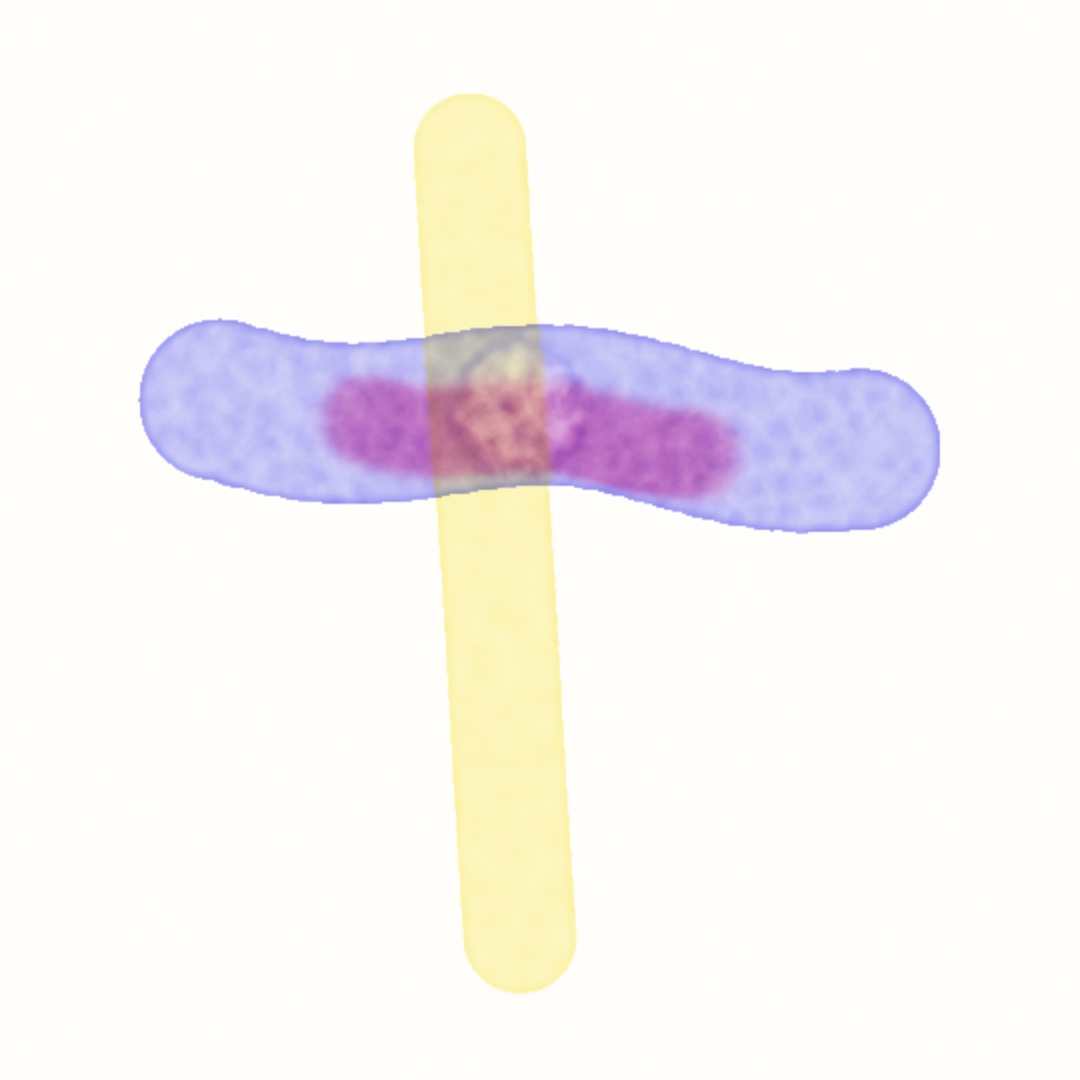
var paint: WatercolorField!

override func setup() {
    paint = watercolor(pigments: [.frenchUltramarine, .quinacridoneRose])
}

override func draw() {
    withField(paint) {
        noStroke()
        if mouseIsPressed { fill(paint.ink(0)); drawCircle(mouseX, mouseY, 24) }
    }
    drawImage(paint.image, 0, 0)
}
Contents
- Painting into the field
- Pigments
- Drying and blotting a wash
- The six classic effects
- Parameters
- Notes
Painting into the field
A WatercolorField is a persistent SimField. Make it once in setup() with watercolor(...) and keep a reference to it. The sketch method comes two ways. watercolor(pigments:scale:) takes the palette directly, and watercolor(_:scale:) takes a whole Sim.watercolor(...) when you want the other parameters too. The first is shorthand for the second. To paint, draw as usual inside a withField(paint) { } block. Each color channel of a mark maps onto the field's palette.
- red is the first pigment, green the second, and blue the third.
- alpha is water. It wets the paper and adds the pressure that makes paint move.
ink(_:load:water:) builds those brush colors for you. paint.ink(0, load: 0.6, water: 1) is a wet brush that carries the first pigment. A wetter stroke spreads further and carries its load thinner, because the water dilutes the pigment. A drier stroke stays where it lands. paint.water() is a clean-water brush, so it wets the paper and pushes the wash around without adding any pigment. Any drawing call works as a brush: a circle, a polyline, text, or an image. Call noStroke() before you paint, because a stroked mark would outline every shape in its stroke color. A black stroke is water with no pigment in it.
The field's image is the finished painting. It is opaque over the paper color and ready to composite. filtered(_:) post-processes it like any other layer.
Pigments
A WatercolorPigment carries the paint's optics, which describe how a layer absorbs and scatters red, green, and blue light. It also carries three properties that describe how the paint behaves while wet:
| property | what it does |
|---|---|
density | how readily the paint settles onto the paper, so dense paints settle early and travel less |
staining | how firmly settled paint holds on, so staining paints resist being lifted back into moving water |
granulation | how much the paper's tooth biases settling, so granulating paints collect in the hollows and dry speckled |
Twelve presets carry measured coefficients from real paints: .quinacridoneRose, .indianRed, .cadmiumYellow, .hookersGreen, .ceruleanBlue, .burntUmber, .cadmiumRed, .brilliantOrange, .hansaYellow, .phthaloGreen, .frenchUltramarine, and .interferenceLilac. The last one is a paint that shows more color over black than over white.
To invent a paint, describe what it looks like. WatercolorPigment(overWhite:overBlack:) derives the optical coefficients from two colors. The first is the color a layer of the paint shows over white paper, and the second is the color it shows over black paper. A transparent paint keeps its hue over white and goes nearly black over black. An opaque paint looks the same on both. That pair of swatches is enough to determine the optics.
let ink = WatercolorPigment(overWhite: Color(hex: 0x2A6E4F),   // a deep viridian
                            overBlack: Color(hex: 0x0A2418),
                            density: 0.03, staining: 2, granulation: 0.5)
paint = watercolor(pigments: [ink, .burntUmber])
A field's palette holds up to three pigments, one per color channel. Painting with a mixed color paints a mixture, so fill(Color(red: 0.5, green: 0.3, blue: 0, alpha: 1)) loads the brush with the first two pigments at once.
Drying and blotting a wash
A wash stays wet and keeps flowing until you stop it. There are two ways to stop it.
paint.dry()makes everything permanent. The current wash becomes a dried glaze under the next one. Later strokes paint over it wet-on-dry and disturb nothing. The dried layers composite optically, so thin washes glazed over one another build the luminous depth that watercolor painters value. That is the glazing workflow: wash, dry, wash, dry.paint.blot()lifts only the standing water. The wash stops flowing, but its pigment stays where it is and can still move, and the sheet stays damp. That is the "drying but still damp" state a backrun needs (see below).
Both take effect on the next frame in which the field steps.
The six classic effects
Each of these effects comes from the simulation itself, not from a filter.
- Edge darkening. Leave a wet stroke alone and its rim darkens as it sits. The wet edge sheds water, and the interior replenishes it, which carries pigment outward.
edgeDarkeningsets the strength, and 0 turns it off. APaintis a flat.coloror a.gradient, andsolidColorreads the flat one back, or nil for a gradient.
- Dry-brush. Set
dryBrushabove zero (try0.4...0.6). Paint then lands only where the paper's tooth rises above the threshold, so strokes skip and break up. - Backruns. Blot a wash, then hold a clean-water touch in it. The water floods back through the damp paint and pushes pigment ahead of it into a pale bloom with a dark, branching edge. A single tap only nudges the paint. The bloom comes from holding the wet brush, which means painting the drop over consecutive frames.
- Granulation. Paint with a granulating pigment, such as
.frenchUltramarineor.burntUmber, and the wash dries speckled along the sheet's texture. - Flow effects. Paint wet-in-wet, which means a loaded stroke into a wash that is still wet. The color spreads soft and feathery, and the paper steers it.
- Glazing. Dry the sheet, then wash over it. The layers mix as filters, each taking its own light out of what the one below reflects, so hansa yellow over ultramarine reads as a warm gray: the measured ultramarine absorbs green as hard as red, and the yellow takes the blue, leaving little for either to reflect. Yellow over cerulean is the glaze that comes out green.
Parameters
Sim.watercolor(...) takes the palette plus these parameters.
| parameter | default | what it does |
|---|---|---|
edgeDarkening | 0.04 | how much water the wet edge sheds per step, which makes the dark rim (the reference model uses 0.01...0.05) |
backruns | true | runs the capillary layer, in which moisture spreads through the paper's pores |
dryBrush | 0 | 0 paints normally, and above 0 only paper higher than the threshold takes paint |
absorbency | 0.3 | how fast the sheet absorbs water where it is wet, which feeds the backrun spread |
grain | 14 | the feature scale of the paper texture, in field texels |
paperSeed | 7 | chooses the sheet. Pass Double(variation) to give every seed its own paper |
paperColor | warm white | the color of the sheet, shown wherever no pigment covers it |
speed | 1 | main simulation steps per frame (1...4) |
You can set the sim while the sketch runs (paint.sim = .watercolor(...)), so any of these parameters can follow a @Param without interrupting the painting. Changing paperSeed or grain regenerates the sheet under the existing paint.
Notes
- The default field
scaleis 0.5. The wash runs many GPU passes per frame, and half resolution keeps it cheap while it still looks as soft as paper. The simulation depends on resolution, because its features are measured in field texels. So a sketch that changesscalealso changes the character of the wash. - The painting evolves deterministically. The paper is generated from
paperSeed, and every pass is a fixed function of the state. So exports reproduce, and the same script replays byte for byte. - For the generative-geometry version of watercolor, see Generators → Watercolor. That one stacks deformed translucent polygons, runs no simulation, and suits a plotter.
- See the
Simulation/Watercolorexample. It is a scripted painting that you can take over with the mouse. It runs a wash, a wet-in-wet charge, a blot and bloom, a dry, and a glaze.